Skip to content
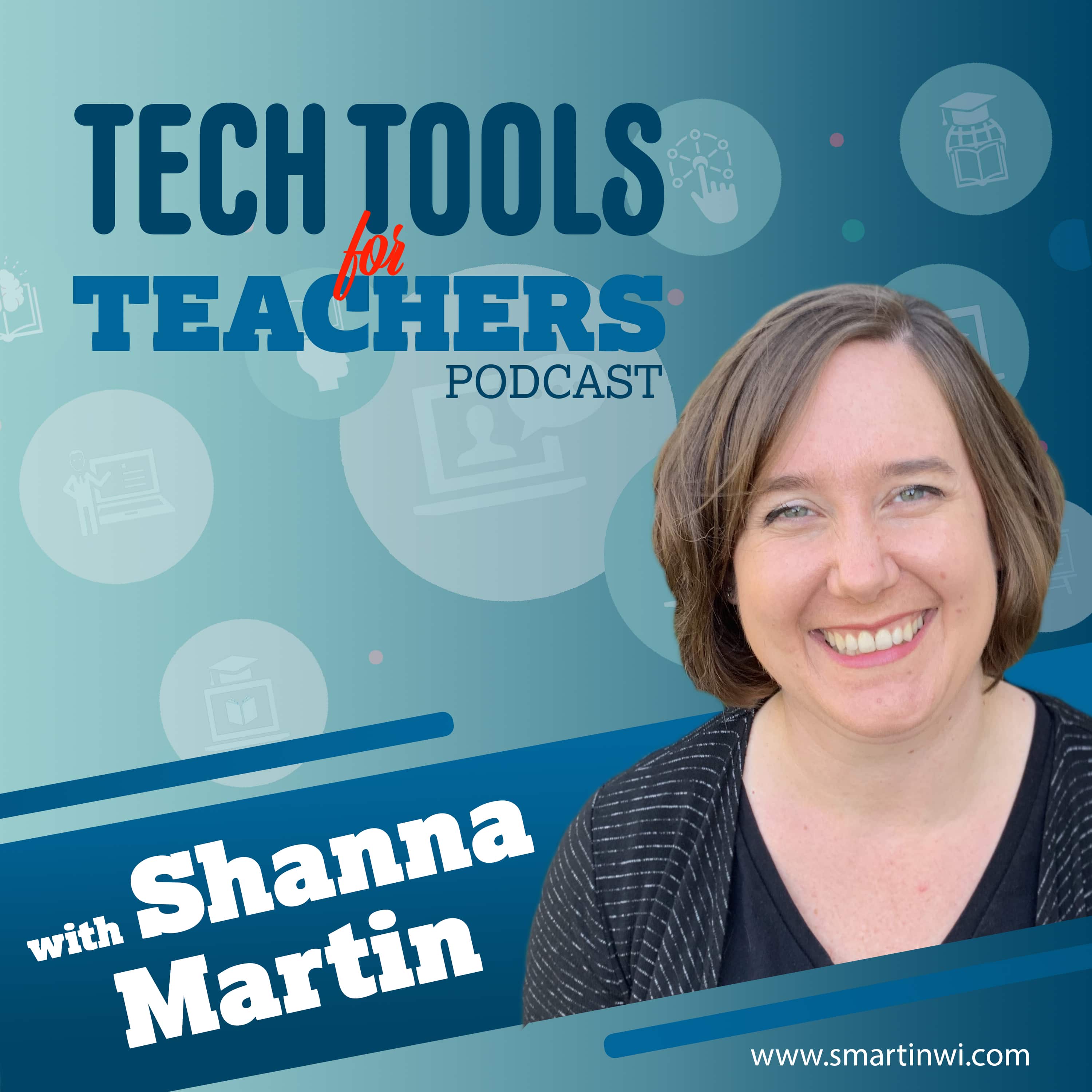
Artwork for Tech Tools for Teachers
EducationHow To

Tech Tools for Teachers

Shanna Martin

The Tech Tools for Teachers Podcast is hosted by Shanna Martin, an instructional and technology coach focused on helping you find and understand free educational technology tools that you can use in your classroom. Free resources are available at https://smartinwi.com (smartinwi.com).

This podcast uses the following third-party services for analysis:

Podcorn - https://podcorn.com/privacy
Podtrac - https://analytics.podtrac.com/privacy-policy-gdrp

Play
  • 20 episodes
  • Avg 15 min
  • English
  • S8 · E235
    June 12 · 26 min

    Thank you for listening.

    In the final episode of the Tech Tools for Teachers Podcast, Shanna and Fuzz reflect on eight seasons, 235 episodes, and how educational technology has changed since the show began in 2019. They discuss the shift from fun classroom websites to online learning, video tools, AI supports, and now a growing need to balance technology with unplugged time, outdoor learning, and hands-on experiences. For one final tech tool, Shanna shares 1,000 Hours Outside, a free resource that encourages families and students to track outdoor time throughout the year. The site offers printable trackers and simple ways to make outside time part of everyday life. Shanna also shares a district-wide outdoor bingo challenge designed to encourage students and families to unplug over the summer. The episode also revisits favorite tools from over the years, including Bouncy Balls, Blob Opera, Canva, Google Slides, Trello, Claude, and more. Most importantly, Shanna and Fuzz thank listeners for being part of the podcast and remind everyone that the resources will continue to live on at smartinwi.com. 1,000 Hours Outside Bouncy Balls Blob Opera Canva for Education Google Slides Trello Claude This podcast uses the following third-party services for analysis: Podcorn - https://podcorn.com/privacy Podtrac - https://analytics.podtrac.com/privacy-policy-gdrp

    • Transcript
  • S8 · E234
    June 1 · 17 min

    A Few of My Favorite Tech Tools

    In Episode 234 of the Tech Tools for Teachers Podcast, Shanna shares the tools she uses the most in her own classroom and coaching work. After covering hundreds of websites over the years, these are the go-to resources that have become part of her regular teaching routine: Classroomscreen for classroom management, Google Slides for flexible design and student supports, Google Vids for directions and accessibility, Canva for polished classroom and student-created materials, Edutopia for quick professional learning, and Solution Tree resources for instructional support. Fuzz also shares his favorite past tool: Blob Opera. Classroomscreen Google Slides Google Vids Canva for Education Edutopia Solution Tree Blob Opera This podcast uses the following third-party services for analysis: Podcorn - https://podcorn.com/privacy Podtrac - https://analytics.podtrac.com/privacy-policy-gdrp

    • Transcript
  • S8 · E233
    May 18 · 13 min

    Free Science Labs with LabXchange and Little Alchemy

    In Episode 233 of the Tech Tools for Teachers Podcast, Shanna shares two free science resources for the classroom. LabXchange offers standards-aligned science simulations, case studies, teaching guides, videos, and virtual labs for high school and upper middle school students. Little Alchemy 2 gives younger students a fun way to explore combinations, elements, vocabulary, and problem-solving through a simple digital game. Both tools are great for extra practice, missed labs, enrichment, and summer learning. LabXchange Little Alchemy 2 This podcast uses the following third-party services for analysis: Podcorn - https://podcorn.com/privacy Podtrac - https://analytics.podtrac.com/privacy-policy-gdrp

    • Transcript
  • S8 · E232
    April 28 · 12 min

    Boddle Learning for Skill Practice

    In Episode 232 of the Tech Tools for Teachers Podcast, Shanna shares Boddle Learning, a game-based practice platform for K–6 students. Boddle supports math, ELA, and science practice with engaging characters, learning adventures, rewards, and teacher dashboards. Teachers can assign skills, track student progress, identify learning gaps, and use it for classroom practice or summer learning support. Boddle Learning This podcast uses the following third-party services for analysis: Podcorn - https://podcorn.com/privacy Podtrac - https://analytics.podtrac.com/privacy-policy-gdrp

    • Transcript
  • S8 · E231
    March 25 · 15 min

    Chalkie AI for Fast, Teacher-Friendly Lessons

    In Episode 231 of the Tech Tools for Teachers Podcast, we explore Chalkie AI, a teacher-focused AI tool that helps create single lessons, lesson series, activity sheets, and quick review resources. Shanna shares how Chalkie can save time when you need a fast sub plan, station activity, or ready-to-go lesson support. With grade-level adjustments, reading-level options, and classroom-friendly layouts, Chalkie is a practical tool for busy teachers looking to simplify planning without sacrificing quality. Chalkie AI This podcast uses the following third-party services for analysis: Podcorn - https://podcorn.com/privacy Podtrac - https://analytics.podtrac.com/privacy-policy-gdrp

    • Transcript
  • S8 · E230
    March 9 · 13 min

    Three Free Tools to Help Students Practice for Testing Season

    In Episode 230 of the Tech Tools for Teachers Podcast, we talk about three free resources to help students prepare for testing season. Shanna shares how Khan Academy, ACT.org, and eSpark can support students with standardized test content, online question formats, and digital testing skills. These tools are useful for in-class practice, family support at home, and helping students feel more confident as spring assessments begin. Khan Academy Test Prep ACT.org eSpark Learning Activities This podcast uses the following third-party services for analysis: Podcorn - https://podcorn.com/privacy Podtrac - https://analytics.podtrac.com/privacy-policy-gdrp

    • Transcript
  • S8 · E229
    March 2 · 15 min

    March Book Madness (Plus a Big Announcement)

    In Episode 229, we share a big announcement: the Tech Tools for Teachers Podcast will pause after Episode 235 at the end of this school year. Then we dive into March Book Madness, a bracket-style reading competition started by two Ohio teachers that brings excitement and engagement to reading for picture books, middle grade, and young adult levels. We also revisit Epic, a digital reading platform free for teachers during the school day. If you’re looking to build reading energy this spring, this episode is for you. This podcast uses the following third-party services for analysis: Podcorn - https://podcorn.com/privacy Podtrac - https://analytics.podtrac.com/privacy-policy-gdrp

    • Transcript
  • S8 · E228
    February 16 · 16 min

    Going for Gold with Olympic Learning

    The Olympics are here — and our middle schoolers are ALL IN. 🥇 In this episode, we’re sharing two free, student-friendly websites that make it easy to connect the Olympic Games (and Paralympics!) to every content area. From researching athletes and debating who deserves the gold… to mapping host countries and learning world geography… these tools help students make real-world connections in meaningful ways. Even students who don’t normally follow sports are hooked! Featured Tools 1. Team USA https://www.teamusa.com A fantastic resource for: Athlete bios and statistics Medal counts and qualifications Olympic and Paralympic information Event details and news Video highlights Mapping where athletes are from across the U.S. Students can: Research athletes Compare statistics Build arguments and presentations Explore geography connections Analyze data in math Learn about training and competition pathways This site makes research easy and engaging, with current and historical Olympic information all in one place. 2. Kids World Travel Guide https://www.kids-world-travel-guide.com A kid-friendly global resource featuring: Countries of the world Maps and visuals Fun facts and quick-reference information Geography, landmarks, traditions, and cultures Olympic host country information (including past Games) Trivia and quizzes Students can: Research Olympic host countries Explore continents and global geography Compare countries Learn about cultural celebrations Dive deeper into world knowledge sparked by Olympic coverage It’s easy to navigate, visually appealing, and designed specifically for student use. Bonus Mention The U.S. Olympic & Paralympic Museum in Colorado Springs is an immersive experience worth exploring — and their website offers additional background resources. Why It Works When learning is tied to real-world events happening right now, engagement skyrockets. Students are asking questions like: Where is Kazakhstan? Why are events spread out across host regions? How do athletes qualify? Which athlete has the strongest stats? And those questions lead to research, writing, math, mapping, debate, and deeper understanding. The Olympics may last a few weeks — but the learning connections can last all year. If you have questions or want to share how you’re using these tools, connect with Shanna on Bluesky, Threads, Facebook, or Instagram @smartinwi. For links and resources from this episode, visit: smartinwi.com Want to support the show? You can buy Shanna a coffee at: buymeacoffee.com/smartinwi This podcast uses the following third-party services for analysis: Podcorn - https://podcorn.com/privacy Podtrac - https://analytics.podtrac.com/privacy-policy-gdrp

    • Transcript
  • S8 · E227
    February 2 · 14 min

    Creative Brain Breaks for Cold Days

    This week on the Tech Tools for Teachers Podcast, we’re tackling indoor recess and cold-weather creativity with two easy, no-friction tools. Tools Featured BoMoMo – Abstract art through motion and color Sketchpad (Sketch.io) – Simple digital drawing and design space Why We Love Them No logins or setup Works on Chromebooks, iPads, and laptops Great for brain breaks and creative resets Flexible for multiple content areas BoMoMo: https://bomomo.com Sketchpad: https://sketch.io This podcast uses the following third-party services for analysis: Podcorn - https://podcorn.com/privacy Podtrac - https://analytics.podtrac.com/privacy-policy-gdrp

  • S8 · E226
    January 19 · 13 min

    National Geographic Kids

    This week on the Tech Tools for Teachers Podcast, we’re taking a fresh look at National Geographic Kids and all the updates that make it an even better classroom resource. We talk about: Using Nat Geo Kids for bell ringers and quick research Quizzes, games, puzzles, and “Weird But True” facts Easy-to-read articles with strong visuals Connections to science, social studies, geography, and current events Why it works for elementary and middle school classrooms 🔗 National Geographic Kids: https://kids.nationalgeographic.com This podcast uses the following third-party services for analysis: Podcorn - https://podcorn.com/privacy Podtrac - https://analytics.podtrac.com/privacy-policy-gdrp

    • Transcript
  • S8 · E225
    January 5 · 16 min

    Starting 2026 Coding!

    We're kicking off 2026 with two coding resources inspired by winter-break. This week, we feature Coddy.tech, a goal-based coding platform where students can choose a language (Python, JavaScript, HTML, and more) and a skill level, then follow a step-by-step learning path with built-in feedback and challenges. We also talk about projects.raspberrypi.org, a free project hub from the Raspberry Pi Foundation that offers Scratch, Python, AI, web dev, and more, all organized by student interests like nature, space, art, music, and science. Together, these tools support problem-solving, creativity, typing skills, and persistence through productive trial-and-error. This podcast uses the following third-party services for analysis: Podcorn - https://podcorn.com/privacy Podtrac - https://analytics.podtrac.com/privacy-policy-gdrp

    • Transcript
  • S8 · E224
    Dec 22, 2025 · 15 min

    Google Vids: Fast, Polished Videos for Student Projects

    In Episode 224, Shanna highlights Google Vids, a video creation tool inside Google Workspace that makes it easy for students and teachers to create polished videos quickly. Students can convert existing Google Slides into videos, record their own voiceovers, and create engaging presentations in less time than traditional slide talks. Shanna shares classroom examples (like research projects), discusses differences between teacher and student account features, and explains how Vids supports creativity, accessibility, and AI prompting practice—making it a strong alternative as other video tools move behind paywalls. This podcast uses the following third-party services for analysis: Podcorn - https://podcorn.com/privacy Podtrac - https://analytics.podtrac.com/privacy-policy-gdrp

    • Transcript
  • S8 · E223
    Dec 15, 2025 · 14 min

    Creative Classroom Time-Savers with HelloKids.com

    In Episode 223 of the Tech Tools for Teachers Podcast, Shanna shares HelloKids.com, a free site full of creative classroom-friendly activities—step-by-step drawing guides, crafts, origami, masks, online coloring pages, and even reading resources. It’s a great pick for upper elementary and middle school students during the busy stretch between Thanksgiving and winter break, and it fits easily into choice boards, enrichment time, or whole-class activities. Shanna also recommends Art Hub for Kids on YouTube for guided drawing tutorials that kids love. HelloKids: https://www.hellokids.com/ Art Hub for Kids (YouTube): https://www.youtube.com/@ArtforKidsHub This podcast uses the following third-party services for analysis: Podcorn - https://podcorn.com/privacy Podtrac - https://analytics.podtrac.com/privacy-policy-gdrp

    • Transcript
  • S8 · E222
    Nov 24, 2025 · 14 min

    Quick, Kid-Friendly Research with Ducksters

    In Episode 222 of the Tech Tools for Teachers Podcast, Shanna revisits Ducksters, a kid-friendly research site that’s perfect for elementary and middle school learners. She shares how Ducksters supports history, biography, geography, and science research with short, accessible articles, built-in audio read-alouds, quick quizzes, and clearly cited sources. Learn how to use Ducksters for biography projects, content-area research, choice boards, and helping students build stronger online research skills—without sending them into the wilds of the internet. Ducksters This podcast uses the following third-party services for analysis: Podcorn - https://podcorn.com/privacy Podtrac - https://analytics.podtrac.com/privacy-policy-gdrp

    • Transcript
  • S8 · E221
    Nov 10, 2025 · 20 min

    Exploring Science

    In Episode 221, Shanna spotlights two free science gems you can use across grade levels. Science News Explores offers up-to-date articles with audio, Power Words vocabulary, explainers, experiments, comics, and STEM career spotlights. Exploratorium brings museum-quality activities to your classroom with “Science Snacks,” NGSS-tagged projects, and print-ready instructions for low-cost, hands-on learning. Science News Explores Exploratorium Related episodes: 31, 90, 105 This podcast uses the following third-party services for analysis: Podcorn - https://podcorn.com/privacy Podtrac - https://analytics.podtrac.com/privacy-policy-gdrp

    • Transcript
  • S8 · E220
    Oct 27, 2025 · 15 min

    Civic Learning Made Easy

    In Episode 220, Shanna shares two of her favorite civics education resources: iCivics.org, which offers free lessons, games, and simulations about government, and the Center for Civic Education, which provides state-specific and national resources for teachers and communities. iCivics.org Center for Civic Education This podcast uses the following third-party services for analysis: Podcorn - https://podcorn.com/privacy Podtrac - https://analytics.podtrac.com/privacy-policy-gdrp

    • Transcript
  • S8 · E219
    Oct 13, 2025 · 15 min

    Measure Up! Fun Tools for Teaching Measurement

    In Episode 219, we explore fun and free tools to help students practice and understand measurement. Try RulerGame.netfor ruler and temperature games, Mr. Nussbaum Measurement Games for hands-on math challenges, and Marble Runfor creative problem-solving with shapes and space. RulerGame.net Mr. Nussbaum Measurement Games Marble Run Related Episode: Episode 42 – Marble Run This podcast uses the following third-party services for analysis: Podcorn - https://podcorn.com/privacy Podtrac - https://analytics.podtrac.com/privacy-policy-gdrp

    • Transcript
  • S8 · E218
    Sep 29, 2025 · 12 min

    Fun Poetry Resources for Your Classroom

    In Episode 218, we highlight two great poetry resources for teachers. Explore ShelSilverstein.com for videos, activities, and lesson ideas tied to Silverstein’s classic books, and Poetry4Kids.com for funny poems, a rhyming dictionary, writing lessons, and audio recordings. Both sites are fantastic for making poetry engaging and accessible for students. Shel Silverstein Official Site Poetry4Kids Related Episodes: Episode 78 | Episode 114 This podcast uses the following third-party services for analysis: Podcorn - https://podcorn.com/privacy Podtrac - https://analytics.podtrac.com/privacy-policy-gdrp

    • Transcript
  • S8 · E217
    Sep 22, 2025 · 13 min

    Pixar in a Box

    In Episode 217, we dive into Pixar in a Box, a free collaboration between Pixar and Khan Academy that blends storytelling, math, computer science, and design. Explore educator guides, standards-aligned lessons, and interactive activities that help students understand how real animation pipelines work—from virtual cameras and rigging to lighting and rendering. Pixar in a Box (Pixar overview) Pixar in a Box (Khan Academy course) Throwback: Episode 32 This podcast uses the following third-party services for analysis: Podcorn - https://podcorn.com/privacy Podtrac - https://analytics.podtrac.com/privacy-policy-gdrp

    • Transcript
  • S8 · E216
    Sep 15, 2025 · 12 min

    Beans, Rice, and Learning Twice

    In Episode 216, we highlight two fun content review sites that also support charitable causes. Students can practice math, vocabulary, science, and more with BeanBeanBean while donating to U.S. food banks, or try Free Rice, which donates through the UN World Food Programme. Great for choice boards, stations, or quick classroom competitions! BeanBeanBean Free Rice This podcast uses the following third-party services for analysis: Podcorn - https://podcorn.com/privacy Podtrac - https://analytics.podtrac.com/privacy-policy-gdrp

Showing 1–20 of 20 episodes