M365.FM - Modern work, security, and productivity with Microsoft 365 · Today · 21 min
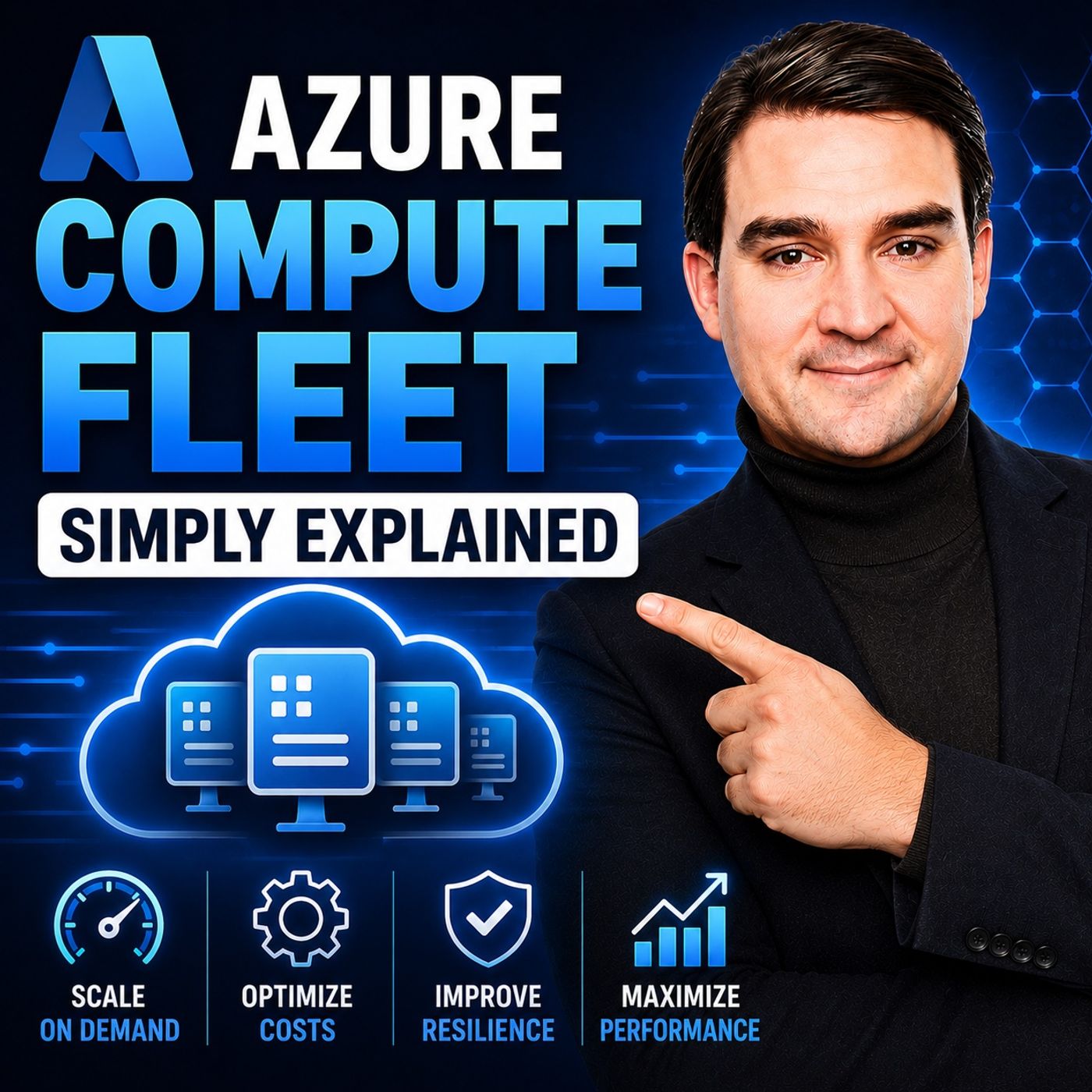
Azure Compute Fleet – Simply Explained
0:00-21:08
transcript
show notes
Azure Compute Fleet is designed for a very different scale of compute problem. Creating one virtual machine is straightforward. But when a workload suddenly needs hundreds or thousands of workers, choosing one exact VM size can become a major limitation. The VM size you selected might not have enough capacity in your preferred region. Another size could work, but pricing may be different. Spot VMs can dramatically reduce costs, but Azure can reclaim them. Managing all of those options manually quickly becomes complicated. Azure Compute Fleet changes the question from "How do I get 1,000 identical VMs?" to "How do I get the compute capacity my workload needs using several acceptable options?"
ㅤ
WHAT IS AZURE COMPUTE FLEET?
Azure Compute Fleet is a managed service designed to provide large pools of virtual machine compute capacity. Instead of requesting one specific VM type, you describe the capacity your workload can use, how much you need, where it can run, and whether Azure can use standard on-demand VMs, lower-cost Spot VMs, or a combination of both. Azure then searches across those acceptable options to find available capacity.
ㅤ
WHY FLEXIBILITY MATTERS
A VM SKU represents a particular size and type of virtual machine, including characteristics such as CPU, memory, storage, and processor family. If you request only one SKU, Azure can search only for capacity matching that exact VM type. If that capacity isn't available, the deployment can wait or fail. Compute Fleet allows you to specify multiple acceptable VM sizes. Azure can then distribute workers across different sizes as long as your workload can successfully operate on all of them. At large scale, this flexibility can significantly increase your chances of acquiring the capacity you need.
ㅤ
UP TO 10,000 VMS IN ONE FLEET
Compute Fleet can support up to 10,000 virtual machines in a single deployment. Instead of creating thousands of machines individually or maintaining custom scripts for multiple VM sizes, you create a fleet request. Azure evaluates the capacity choices you've allowed, identifies an appropriate combination, and creates the VM groups that make up the fleet.
ㅤ
WHAT COMPUTE FLEET DOES NOT DO
Compute Fleet solves the capacity problem, not the entire application architecture. You still need to provide the VM image, network configuration, and software that each worker should run. Fleet doesn't know whether your workers are rendering videos, processing financial calculations, running automated tests, or analyzing scientific data. It also doesn't replace load balancers, job queues, durable storage, application logic, or recovery mechanisms. Its role is focused: acquiring and managing large amounts of compute capacity when multiple acceptable options exist.
ㅤ
CHOOSING ACCEPTABLE VM SIZES
The first major design decision is determining which VM sizes your workload can actually use. At fleet scale, the important question isn't necessarily which processor or SKU name you prefer. The better question is what CPU, memory, storage, accelerator, and other resources your workload genuinely requires. If several VM families satisfy those requirements, allowing multiple options gives Azure more capacity to search. However, every option must actually work with your application. Don't include a VM family simply because it's cheaper if your software requires a different processor architecture, driver, storage configuration, or hardware capability.
ㅤ
CAPACITY VS PRICE
The second decision is what Azure should prioritize when selecting compute. Some workloads need to start immediately. An overnight financial calculation, for example, might have to finish before markets open. In that situation, available capacity may matter more than obtaining the absolute lowest price. Other workloads are more flexible. Testing, simulations, backlog processing, and temporary development environments may prioritize lower costs even if acquiring all requested capacity takes longer. Compute Fleet allows organizations to design around these different priorities.
ㅤ
ATTRIBUTE-BASED VM SELECTION
Instead of specifying only exact VM SKUs, Azure also provides an attribute-based approach described in the episode material as being in preview. Rather than saying "use these exact VM models," you can describe characteristics such as CPU, memory, local storage, or accelerator requirements. Azure can then identify VM sizes matching those requirements. This can provide additional flexibility as newer VM generations become available, but applications still need to be validated against the types of machines Azure might select.
ㅤ
ON-DEMAND VMS
On-demand virtual machines provide the stable portion of a fleet. You request a VM and pay the standard rate while it runs. Azure doesn't reclaim it simply because another customer needs that capacity. This makes on-demand VMs appropriate for the minimum amount of compute that your workload needs to keep running. For example, critical job controllers, queue infrastructure, or baseline workers might use on-demand capacity.
ㅤ
SPOT VMS
Spot VMs use unused Azure compute capacity at substantially lower prices than normal on-demand machines. The trade-off is interruption. Azure can reclaim Spot capacity when it needs those resources again. That makes Spot particularly attractive for workloads that can tolerate workers disappearing and can safely retry interrupted work. Spot isn't appropriate for a workload where losing one VM means losing critical state or hours of unrecoverable processing.
ㅤ
MIXING SPOT AND ON-DEMAND CAPACITY
Many workloads benefit from combining both purchasing models. On-demand VMs provide a reliable baseline of compute capacity. Spot VMs provide additional processing power at lower cost whenever that capacity is available. If Spot workers are reclaimed, the stable on-demand workers continue processing. This creates a practical balance between predictable minimum throughput and lower overall compute costs.
ㅤ
DESIGN FOR INTERRUPTION
Compute Fleet can manage the capacity side of Spot interruptions, but it cannot protect work stored only inside an individual VM. Your workload must be designed so workers can disappear. For example, a video rendering system might divide a project into individual frames. If a Spot VM disappears while rendering one frame, that task should return to the queue so another worker can process it. The same architecture can work for simulations, software builds, automated testing, data processing, development environments, and scientific workloads.
ㅤ
KEEP STATE OUTSIDE THE WORKER
Fleet-friendly applications should keep important state somewhere durable rather than relying on the local storage of an individual worker VM. That might mean Azure Storage, a database, or another persistent service. Use durable queues to distribute tasks. Save checkpoints during long-running operations. Design tasks so they can safely run again without creating duplicate or corrupted results. When a Spot VM disappears, you should lose only the small piece of processing currently underway rather than the entire job.
ㅤ
COMPUTE FLEET VS VIRTUAL MACHINE SCALE SETS
Azure Compute Fleet and Virtual Machine Scale Sets both manage groups of virtual machines, but they begin with different problems. Virtual Machine Scale Sets typically start with an application. You might have a website, API, or business application running across similar VMs behind a load balancer. When traffic increases, VMSS adds instances. When demand decreases, instances can be removed. Compute Fleet starts with a different question: how can I acquire a large amount of acceptable compute capacity for a workload?
ㅤ
WHEN TO USE VIRTUAL MACHINE SCALE SETS
VMSS is generally suited to long-running application tiers where machines perform similar roles. Examples include customer-facing websites, APIs, line-of-business applications, and application servers behind Azure Load Balancer or Application Gateway. In these scenarios, application health, traffic handling, and scaling the number of similar application instances are central requirements.
ㅤ
WHEN TO USE COMPUTE FLEET
Compute Fleet is better suited when the primary challenge is obtaining large amounts of compute for work that can spread across many independent workers. Typical examples include high-performance computing, batch processing, simulations, large data-processing workloads, automated testing, rendering, and temporary worker pools. A worker should ideally be able to take a task, process it, save the result, and move to another task. If that worker disappears, another worker should be capable of continuing the work.
ㅤ
YOU CAN USE BOTH
Compute Fleet and VM Scale Sets don't have to be mutually exclusive. An architecture might use a Virtual Machine Scale Set for the customer-facing application tier while Compute Fleet supplies temporary workers for computationally expensive background processing. The correct choice depends on whether you're primarily scaling an application in response to demand or acquiring flexible compute capacity to complete distributed work.
Become a supporter of this podcast: https://www.spreaker.com/podcast/m365-fm-modern-work-security-and-productivity-with-microsoft-365--6704921/support.
ㅤ
WHAT IS AZURE COMPUTE FLEET?
Azure Compute Fleet is a managed service designed to provide large pools of virtual machine compute capacity. Instead of requesting one specific VM type, you describe the capacity your workload can use, how much you need, where it can run, and whether Azure can use standard on-demand VMs, lower-cost Spot VMs, or a combination of both. Azure then searches across those acceptable options to find available capacity.
ㅤ
WHY FLEXIBILITY MATTERS
A VM SKU represents a particular size and type of virtual machine, including characteristics such as CPU, memory, storage, and processor family. If you request only one SKU, Azure can search only for capacity matching that exact VM type. If that capacity isn't available, the deployment can wait or fail. Compute Fleet allows you to specify multiple acceptable VM sizes. Azure can then distribute workers across different sizes as long as your workload can successfully operate on all of them. At large scale, this flexibility can significantly increase your chances of acquiring the capacity you need.
ㅤ
UP TO 10,000 VMS IN ONE FLEET
Compute Fleet can support up to 10,000 virtual machines in a single deployment. Instead of creating thousands of machines individually or maintaining custom scripts for multiple VM sizes, you create a fleet request. Azure evaluates the capacity choices you've allowed, identifies an appropriate combination, and creates the VM groups that make up the fleet.
ㅤ
WHAT COMPUTE FLEET DOES NOT DO
Compute Fleet solves the capacity problem, not the entire application architecture. You still need to provide the VM image, network configuration, and software that each worker should run. Fleet doesn't know whether your workers are rendering videos, processing financial calculations, running automated tests, or analyzing scientific data. It also doesn't replace load balancers, job queues, durable storage, application logic, or recovery mechanisms. Its role is focused: acquiring and managing large amounts of compute capacity when multiple acceptable options exist.
ㅤ
CHOOSING ACCEPTABLE VM SIZES
The first major design decision is determining which VM sizes your workload can actually use. At fleet scale, the important question isn't necessarily which processor or SKU name you prefer. The better question is what CPU, memory, storage, accelerator, and other resources your workload genuinely requires. If several VM families satisfy those requirements, allowing multiple options gives Azure more capacity to search. However, every option must actually work with your application. Don't include a VM family simply because it's cheaper if your software requires a different processor architecture, driver, storage configuration, or hardware capability.
ㅤ
CAPACITY VS PRICE
The second decision is what Azure should prioritize when selecting compute. Some workloads need to start immediately. An overnight financial calculation, for example, might have to finish before markets open. In that situation, available capacity may matter more than obtaining the absolute lowest price. Other workloads are more flexible. Testing, simulations, backlog processing, and temporary development environments may prioritize lower costs even if acquiring all requested capacity takes longer. Compute Fleet allows organizations to design around these different priorities.
ㅤ
ATTRIBUTE-BASED VM SELECTION
Instead of specifying only exact VM SKUs, Azure also provides an attribute-based approach described in the episode material as being in preview. Rather than saying "use these exact VM models," you can describe characteristics such as CPU, memory, local storage, or accelerator requirements. Azure can then identify VM sizes matching those requirements. This can provide additional flexibility as newer VM generations become available, but applications still need to be validated against the types of machines Azure might select.
ㅤ
ON-DEMAND VMS
On-demand virtual machines provide the stable portion of a fleet. You request a VM and pay the standard rate while it runs. Azure doesn't reclaim it simply because another customer needs that capacity. This makes on-demand VMs appropriate for the minimum amount of compute that your workload needs to keep running. For example, critical job controllers, queue infrastructure, or baseline workers might use on-demand capacity.
ㅤ
SPOT VMS
Spot VMs use unused Azure compute capacity at substantially lower prices than normal on-demand machines. The trade-off is interruption. Azure can reclaim Spot capacity when it needs those resources again. That makes Spot particularly attractive for workloads that can tolerate workers disappearing and can safely retry interrupted work. Spot isn't appropriate for a workload where losing one VM means losing critical state or hours of unrecoverable processing.
ㅤ
MIXING SPOT AND ON-DEMAND CAPACITY
Many workloads benefit from combining both purchasing models. On-demand VMs provide a reliable baseline of compute capacity. Spot VMs provide additional processing power at lower cost whenever that capacity is available. If Spot workers are reclaimed, the stable on-demand workers continue processing. This creates a practical balance between predictable minimum throughput and lower overall compute costs.
ㅤ
DESIGN FOR INTERRUPTION
Compute Fleet can manage the capacity side of Spot interruptions, but it cannot protect work stored only inside an individual VM. Your workload must be designed so workers can disappear. For example, a video rendering system might divide a project into individual frames. If a Spot VM disappears while rendering one frame, that task should return to the queue so another worker can process it. The same architecture can work for simulations, software builds, automated testing, data processing, development environments, and scientific workloads.
ㅤ
KEEP STATE OUTSIDE THE WORKER
Fleet-friendly applications should keep important state somewhere durable rather than relying on the local storage of an individual worker VM. That might mean Azure Storage, a database, or another persistent service. Use durable queues to distribute tasks. Save checkpoints during long-running operations. Design tasks so they can safely run again without creating duplicate or corrupted results. When a Spot VM disappears, you should lose only the small piece of processing currently underway rather than the entire job.
ㅤ
COMPUTE FLEET VS VIRTUAL MACHINE SCALE SETS
Azure Compute Fleet and Virtual Machine Scale Sets both manage groups of virtual machines, but they begin with different problems. Virtual Machine Scale Sets typically start with an application. You might have a website, API, or business application running across similar VMs behind a load balancer. When traffic increases, VMSS adds instances. When demand decreases, instances can be removed. Compute Fleet starts with a different question: how can I acquire a large amount of acceptable compute capacity for a workload?
ㅤ
WHEN TO USE VIRTUAL MACHINE SCALE SETS
VMSS is generally suited to long-running application tiers where machines perform similar roles. Examples include customer-facing websites, APIs, line-of-business applications, and application servers behind Azure Load Balancer or Application Gateway. In these scenarios, application health, traffic handling, and scaling the number of similar application instances are central requirements.
ㅤ
WHEN TO USE COMPUTE FLEET
Compute Fleet is better suited when the primary challenge is obtaining large amounts of compute for work that can spread across many independent workers. Typical examples include high-performance computing, batch processing, simulations, large data-processing workloads, automated testing, rendering, and temporary worker pools. A worker should ideally be able to take a task, process it, save the result, and move to another task. If that worker disappears, another worker should be capable of continuing the work.
ㅤ
YOU CAN USE BOTH
Compute Fleet and VM Scale Sets don't have to be mutually exclusive. An architecture might use a Virtual Machine Scale Set for the customer-facing application tier while Compute Fleet supplies temporary workers for computationally expensive background processing. The correct choice depends on whether you're primarily scaling an application in response to demand or acquiring flexible compute capacity to complete distributed work.
Become a supporter of this podcast: https://www.spreaker.com/podcast/m365-fm-modern-work-security-and-productivity-with-microsoft-365--6704921/support.
links1