M365.FM - Modern work, security, and productivity with Microsoft 365 · Today · 17 min
Microsoft Defender Vulnerability Management - Simply Explained
0:00-17:04
transcript
show notes
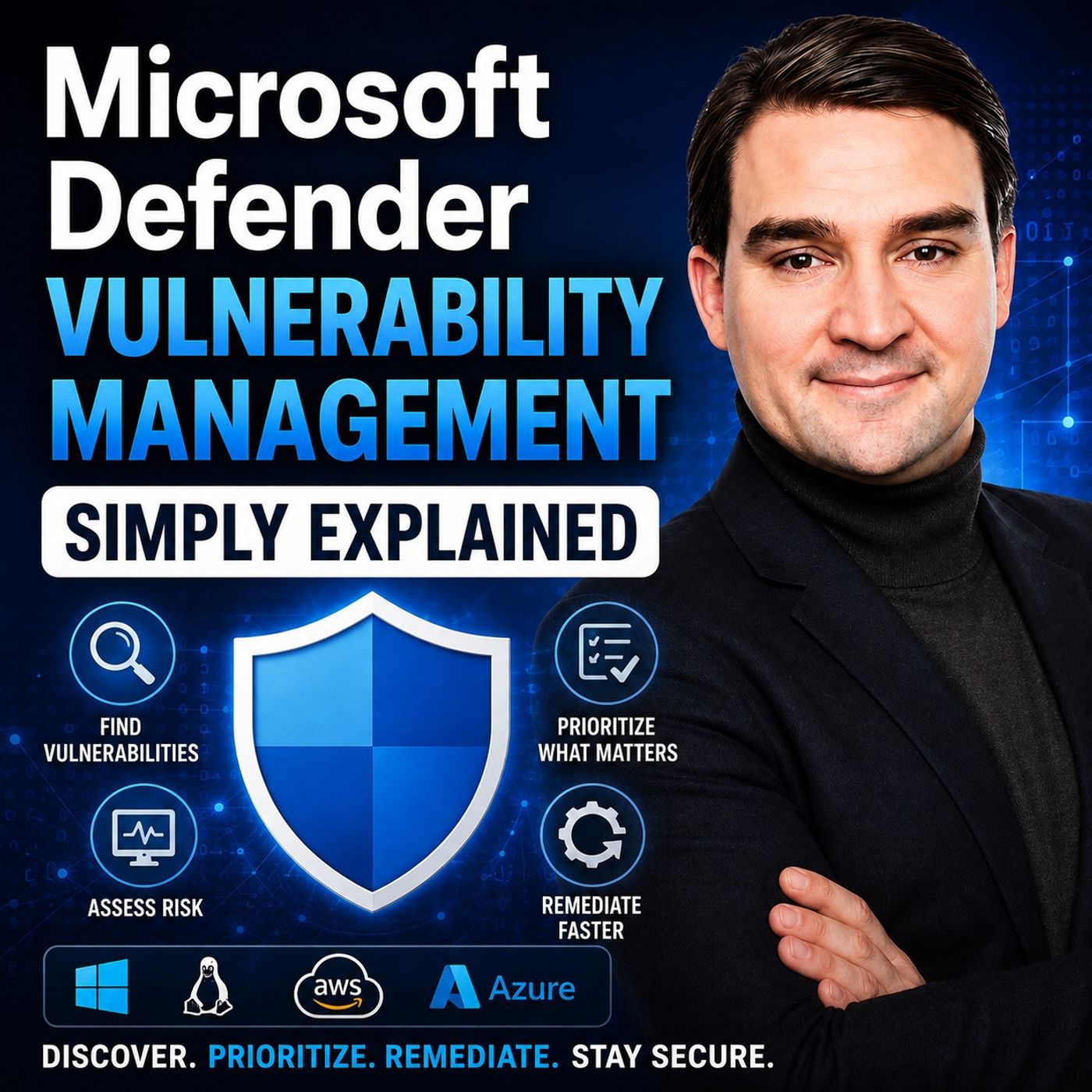
Microsoft Defender Vulnerability Management goes far beyond running a vulnerability scan and installing patches. The real challenge isn't finding vulnerabilities. It's deciding which weaknesses create the most risk, what should be fixed first, who should fix it, and whether the remediation actually worked. A vulnerability scan might return hundreds or thousands of CVEs. Defender Vulnerability Management adds the device, threat, exposure, and business context needed to turn that enormous list into practical security work.
ㅤ
PATCH MANAGEMENT VS VULNERABILITY MANAGEMENT
Patch management focuses on applying fixes. You update Windows, install a newer browser version, remove outdated software, or change a configuration. Vulnerability management answers a broader set of questions: Which issue should be addressed first? How urgent is it? Which devices are affected? Who owns the remediation? And did the fix actually eliminate the vulnerability? A critical CVE on an isolated test system might represent less immediate risk than a lower-rated vulnerability on a finance laptop that handles sensitive information and is exposed to active threats. Severity matters, but context matters more.
ㅤ
DISCOVERY: KNOW WHAT YOU ACTUALLY HAVE
Before Defender can prioritize vulnerabilities, it needs visibility into your environment. Defender Vulnerability Management continuously tracks weaknesses across devices, including outdated software, missing updates, unsafe configurations, and other security gaps. Through Defender for Endpoint signals, Microsoft can understand operating systems, installed software, versions, and known vulnerabilities across onboarded devices. Unlike a traditional periodic scan, this information changes as your environment changes.
ㅤ
DEVICE DISCOVERY
Organizations frequently have devices that aren't included in their official inventory. Device discovery can use managed Defender for Endpoint devices to identify other systems visible around them on the network. That might uncover an old server, unmanaged workstation, printer, router, or another device that was never properly onboarded. Device inventory shows systems Defender already knows about. Device discovery helps expose the gaps outside that known inventory. You can't manage the vulnerability of a device you don't know exists.
ㅤ
SOFTWARE INVENTORY
Defender also builds an inventory of software across onboarded devices. Security teams can see applications, publishers, versions, affected devices, and vulnerabilities associated with installed software. Instead of manually checking hundreds of computers, teams can begin with a vulnerable application and identify every affected device, or begin with a particular device and investigate the software requiring attention. This makes it much easier to understand the actual scale of a vulnerability.
ㅤ
MORE THAN SOFTWARE PATCHES
Depending on licensing, configuration, platforms, and enabled capabilities, Defender Vulnerability Management can assess more than conventional desktop applications. This can include digital certificates, browser extensions, firmware, hardware security configurations, network shares, and other configuration weaknesses. The correct remediation isn't always installing a patch. Sometimes the appropriate response is changing a configuration, removing software, restricting access, or replacing outdated hardware.
ㅤ
PRIORITIZATION: WHAT SHOULD YOU FIX FIRST?
CVSS provides a useful general severity rating for vulnerabilities, but it doesn't understand your organization's individual environment. Defender Vulnerability Management adds additional context. Is a public exploit available? Is the vulnerability associated with active threat activity? Are there related alerts inside your environment? How many devices are affected? What roles do those devices perform? The important question changes from "Which CVE has the highest score?" to "Which vulnerability creates the most exposure for our organization?"
ㅤ
EXPOSURE SCORE AND SECURE SCORE FOR DEVICES
Exposure Score provides a broader indication of your organization's exposure. Lower is better, but it shouldn't be interpreted as a guarantee of security. Secure Score for Devices looks at security configurations and recommended protections across devices. These scores provide direction and allow teams to monitor whether security improvements are reducing exposure over time. They aren't substitutes for investigating individual vulnerabilities and recommendations.
ㅤ
SECURITY RECOMMENDATIONS
The practical work happens through recommendations. A recommendation can connect a vulnerability with the affected software, exposed devices, and an action that can reduce the risk. This allows teams to move from a general vulnerability warning to a specific remediation plan. The surrounding context can also significantly change priority. A vulnerable file sitting unused inside an archive represents a different situation from vulnerable software actively running and listening for network traffic.
ㅤ
THREAT ANALYTICS
Defender can connect vulnerability management with Microsoft's threat analytics. This helps teams understand emerging threats and active attack campaigns. Security teams can investigate whether their organization is affected, which devices are exposed, whether related alerts already exist, and what mitigations could reduce risk while a permanent solution is prepared. This is another reason vulnerability management shouldn't simply mean patching everything in severity order.
ㅤ
REMEDIATION: TURN FINDINGS INTO WORK
Defender Vulnerability Management isn't a universal patching engine. Its role is to identify vulnerabilities, prioritize them, create remediation work, track progress, and verify the result. The actual change might be performed through Microsoft Intune, ServiceNow, another ticketing platform, software deployment tools, or directly by an IT team. Security recommendations provide the context needed to turn a vulnerability into an actionable task with scope, priority, ownership, and a deadline.
ㅤ
DEFENDER AND INTUNE WORKING TOGETHER
With an Intune connection, Defender can turn remediation requirements into security tasks. Security teams identify and prioritize the risk. Device management teams determine how the necessary changes should be deployed without unnecessarily disrupting users or business applications. For example, a browser vulnerability might first be remediated across a small pilot group. Once compatibility is confirmed, the update can be deployed progressively to the remaining devices. This creates a controlled remediation workflow rather than immediately pushing every change to every endpoint.
ㅤ
EXCEPTIONS AND MITIGATIONS
Sometimes a vulnerability can't be fixed immediately. A legacy application may require an older browser version. A vendor may need additional time to release or validate an update. A production server might only be changed during an approved maintenance window. In these situations, exceptions should be documented with a clear reason and an end date. Temporary mitigations can also reduce exposure while teams prepare the permanent fix, such as restricting connectivity, blocking vulnerable applications, or implementing vendor-recommended controls.
ㅤ
VERIFICATION: DID THE FIX ACTUALLY WORK?
A closed ticket doesn't automatically mean a vulnerability has disappeared. An update might have been deployed through Intune while individual devices remained offline, failed the installation, or continued running the vulnerable version. Defender Vulnerability Management continues evaluating device signals. When affected devices stop reporting the weakness, the remediation can be considered completed. This provides evidence based on the actual state of the devices rather than relying only on a deployment report.
ㅤ
THE CONNECTED MICROSOFT SECURITY ECOSYSTEM
Vulnerability management becomes more powerful when combined with the wider Microsoft security ecosystem. Intune manages device configuration and compliance. Defender for Endpoint detects threats and calculates device risk. Entra ID can use those signals through Conditional Access. For example, a device with serious security problems could become noncompliant in Intune. Conditional Access could then restrict that device from accessing SharePoint, Teams, or Exchange Online until it returns to an acceptable state. This limits what a risky endpoint can access while remediation is still underway.
ㅤ
ADDING DATA SENSITIVITY TO THE RISK PICTURE
Microsoft Purview can add another layer of business context by helping identify sensitive information. A device regularly handling confidential finance or customer information may deserve higher priority than a general-purpose device carrying the same vulnerability. This is where vulnerability management becomes more than technical severity. Security teams can consider what a vulnerable device actually represents to the organization.
Become a supporter of this podcast: https://www.spreaker.com/podcast/m365-fm-modern-work-security-and-productivity-with-microsoft-365--6704921/support.
ㅤ
PATCH MANAGEMENT VS VULNERABILITY MANAGEMENT
Patch management focuses on applying fixes. You update Windows, install a newer browser version, remove outdated software, or change a configuration. Vulnerability management answers a broader set of questions: Which issue should be addressed first? How urgent is it? Which devices are affected? Who owns the remediation? And did the fix actually eliminate the vulnerability? A critical CVE on an isolated test system might represent less immediate risk than a lower-rated vulnerability on a finance laptop that handles sensitive information and is exposed to active threats. Severity matters, but context matters more.
ㅤ
DISCOVERY: KNOW WHAT YOU ACTUALLY HAVE
Before Defender can prioritize vulnerabilities, it needs visibility into your environment. Defender Vulnerability Management continuously tracks weaknesses across devices, including outdated software, missing updates, unsafe configurations, and other security gaps. Through Defender for Endpoint signals, Microsoft can understand operating systems, installed software, versions, and known vulnerabilities across onboarded devices. Unlike a traditional periodic scan, this information changes as your environment changes.
ㅤ
DEVICE DISCOVERY
Organizations frequently have devices that aren't included in their official inventory. Device discovery can use managed Defender for Endpoint devices to identify other systems visible around them on the network. That might uncover an old server, unmanaged workstation, printer, router, or another device that was never properly onboarded. Device inventory shows systems Defender already knows about. Device discovery helps expose the gaps outside that known inventory. You can't manage the vulnerability of a device you don't know exists.
ㅤ
SOFTWARE INVENTORY
Defender also builds an inventory of software across onboarded devices. Security teams can see applications, publishers, versions, affected devices, and vulnerabilities associated with installed software. Instead of manually checking hundreds of computers, teams can begin with a vulnerable application and identify every affected device, or begin with a particular device and investigate the software requiring attention. This makes it much easier to understand the actual scale of a vulnerability.
ㅤ
MORE THAN SOFTWARE PATCHES
Depending on licensing, configuration, platforms, and enabled capabilities, Defender Vulnerability Management can assess more than conventional desktop applications. This can include digital certificates, browser extensions, firmware, hardware security configurations, network shares, and other configuration weaknesses. The correct remediation isn't always installing a patch. Sometimes the appropriate response is changing a configuration, removing software, restricting access, or replacing outdated hardware.
ㅤ
PRIORITIZATION: WHAT SHOULD YOU FIX FIRST?
CVSS provides a useful general severity rating for vulnerabilities, but it doesn't understand your organization's individual environment. Defender Vulnerability Management adds additional context. Is a public exploit available? Is the vulnerability associated with active threat activity? Are there related alerts inside your environment? How many devices are affected? What roles do those devices perform? The important question changes from "Which CVE has the highest score?" to "Which vulnerability creates the most exposure for our organization?"
ㅤ
EXPOSURE SCORE AND SECURE SCORE FOR DEVICES
Exposure Score provides a broader indication of your organization's exposure. Lower is better, but it shouldn't be interpreted as a guarantee of security. Secure Score for Devices looks at security configurations and recommended protections across devices. These scores provide direction and allow teams to monitor whether security improvements are reducing exposure over time. They aren't substitutes for investigating individual vulnerabilities and recommendations.
ㅤ
SECURITY RECOMMENDATIONS
The practical work happens through recommendations. A recommendation can connect a vulnerability with the affected software, exposed devices, and an action that can reduce the risk. This allows teams to move from a general vulnerability warning to a specific remediation plan. The surrounding context can also significantly change priority. A vulnerable file sitting unused inside an archive represents a different situation from vulnerable software actively running and listening for network traffic.
ㅤ
THREAT ANALYTICS
Defender can connect vulnerability management with Microsoft's threat analytics. This helps teams understand emerging threats and active attack campaigns. Security teams can investigate whether their organization is affected, which devices are exposed, whether related alerts already exist, and what mitigations could reduce risk while a permanent solution is prepared. This is another reason vulnerability management shouldn't simply mean patching everything in severity order.
ㅤ
REMEDIATION: TURN FINDINGS INTO WORK
Defender Vulnerability Management isn't a universal patching engine. Its role is to identify vulnerabilities, prioritize them, create remediation work, track progress, and verify the result. The actual change might be performed through Microsoft Intune, ServiceNow, another ticketing platform, software deployment tools, or directly by an IT team. Security recommendations provide the context needed to turn a vulnerability into an actionable task with scope, priority, ownership, and a deadline.
ㅤ
DEFENDER AND INTUNE WORKING TOGETHER
With an Intune connection, Defender can turn remediation requirements into security tasks. Security teams identify and prioritize the risk. Device management teams determine how the necessary changes should be deployed without unnecessarily disrupting users or business applications. For example, a browser vulnerability might first be remediated across a small pilot group. Once compatibility is confirmed, the update can be deployed progressively to the remaining devices. This creates a controlled remediation workflow rather than immediately pushing every change to every endpoint.
ㅤ
EXCEPTIONS AND MITIGATIONS
Sometimes a vulnerability can't be fixed immediately. A legacy application may require an older browser version. A vendor may need additional time to release or validate an update. A production server might only be changed during an approved maintenance window. In these situations, exceptions should be documented with a clear reason and an end date. Temporary mitigations can also reduce exposure while teams prepare the permanent fix, such as restricting connectivity, blocking vulnerable applications, or implementing vendor-recommended controls.
ㅤ
VERIFICATION: DID THE FIX ACTUALLY WORK?
A closed ticket doesn't automatically mean a vulnerability has disappeared. An update might have been deployed through Intune while individual devices remained offline, failed the installation, or continued running the vulnerable version. Defender Vulnerability Management continues evaluating device signals. When affected devices stop reporting the weakness, the remediation can be considered completed. This provides evidence based on the actual state of the devices rather than relying only on a deployment report.
ㅤ
THE CONNECTED MICROSOFT SECURITY ECOSYSTEM
Vulnerability management becomes more powerful when combined with the wider Microsoft security ecosystem. Intune manages device configuration and compliance. Defender for Endpoint detects threats and calculates device risk. Entra ID can use those signals through Conditional Access. For example, a device with serious security problems could become noncompliant in Intune. Conditional Access could then restrict that device from accessing SharePoint, Teams, or Exchange Online until it returns to an acceptable state. This limits what a risky endpoint can access while remediation is still underway.
ㅤ
ADDING DATA SENSITIVITY TO THE RISK PICTURE
Microsoft Purview can add another layer of business context by helping identify sensitive information. A device regularly handling confidential finance or customer information may deserve higher priority than a general-purpose device carrying the same vulnerability. This is where vulnerability management becomes more than technical severity. Security teams can consider what a vulnerable device actually represents to the organization.
Become a supporter of this podcast: https://www.spreaker.com/podcast/m365-fm-modern-work-security-and-productivity-with-microsoft-365--6704921/support.
links1