M365.FM - Modern work, security, and productivity with Microsoft 365 · Today · 18 min
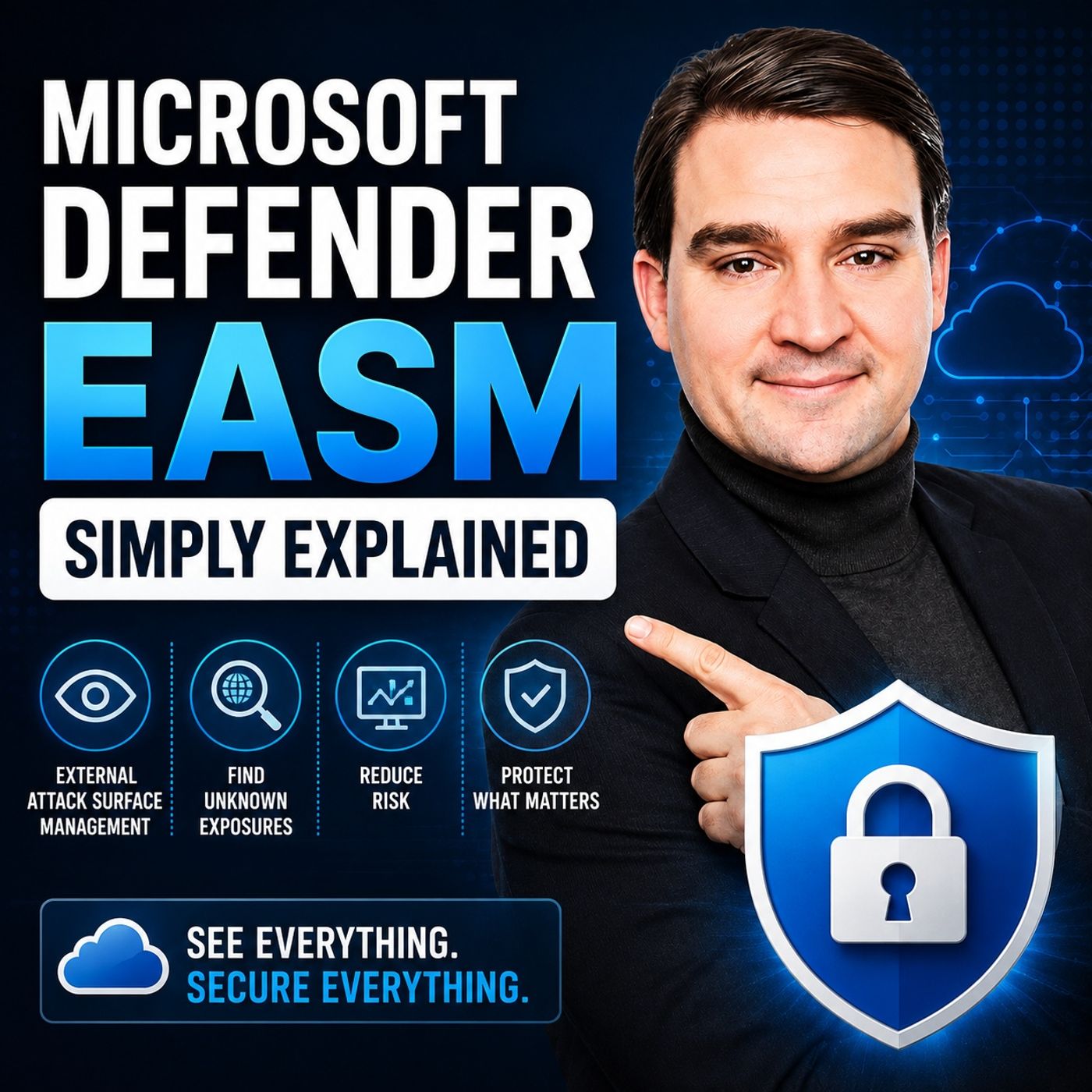
Microsoft Defender EASM - Simply Explained
0:00-18:04
transcript
show notes
Microsoft Defender External Attack Surface Management, or Defender EASM, helps organizations understand a critical security question: what can someone outside your company actually see? Your public footprint is much larger than your official website. Forgotten subdomains, old campaign pages, test environments, cloud services, public IP addresses, certificates, and internet-facing servers can remain visible long after the teams that created them have moved on. Defender EASM approaches security from an attacker's perspective and helps discover that external footprint.
ㅤ
YOU CAN'T PROTECT WHAT YOU CAN'T SEE
Traditional security inventories usually start from inside the organization. IT knows about managed laptops, servers, applications, and user accounts. Marketing may maintain its own websites, while cloud teams and suppliers manage additional services. The problem exists between those inventories. Projects end, but test websites remain online. Subdomains are forgotten. IP addresses change. Certificates expire. Suppliers may continue operating public services that internal security teams no longer actively track. If something remains reachable from the public internet, attackers can potentially discover it even when your organization has forgotten about it.
ㅤ
WHAT MICROSOFT DEFENDER EASM ACTUALLY DOES
Microsoft Defender EASM is designed to find, map, and monitor the parts of an organization that face the public internet. EASM stands for External Attack Surface Management. External means resources visible outside your internal network. Attack surface represents the public locations, systems, and services that could potentially be reached or inspected. Management means continuously understanding and maintaining that external picture. Defender EASM can discover domains, subdomains, hosts, public IP addresses, web pages, certificates, and internet-facing services associated with an organization.
ㅤ
EASM IS NOT ANOTHER FIREWALL OR ANTIVIRUS
The Defender name can create some confusion. Defender EASM doesn't replace firewalls, endpoint protection, patch management, email security, or cloud workload protection. Instead, it helps answer the question that comes before those controls: what does the public internet know about your organization? Internal security tools can tell you about systems you already manage. Defender EASM starts from outside and can potentially uncover assets that never made it into your internal inventory.
ㅤ
HOW EASM DISCOVERY WORKS
Discovery begins with something Microsoft calls a seed. A seed is a known piece of public information associated with your organization. This could include a domain, public IP address or range, hostname, email contact, Autonomous System Number, or company information contained in public registration data. You don't need to provide a complete inventory. Instead, Defender EASM follows relationships between publicly available information to build a broader picture of your external attack surface.
ㅤ
FROM ONE DOMAIN TO AN ENTIRE MAP
Imagine starting with your primary company domain. That domain could reveal a subdomain. A certificate associated with the subdomain could contain additional names. Those names could point toward hosts, which could lead to public IP addresses and internet-facing services. Each discovery can create another clue. Microsoft describes this as recursive discovery. Defender EASM follows public relationships and continuously expands the map of assets potentially associated with your organization.
ㅤ
OWNERSHIP STILL MATTERS
Finding a relationship doesn't automatically mean your company owns the resource. An IP address could belong to a shared cloud provider. A certificate might contain names associated with several customers. A public website could be operated by an external agency or supplier. Defender EASM helps identify these relationships, but organizations still need to determine ownership and responsibility. Discovery groups can help organize this process around specific companies, brands, business units, domains, or public IP ranges. Items that don't belong to the organization can also be excluded from the working inventory.
ㅤ
YOUR ATTACK SURFACE NEVER STOPS CHANGING
External attack surface management isn't a one-time inventory exercise. Organizations continuously launch websites, create cloud services, retire applications, change infrastructure, work with new suppliers, and acquire other companies. A public footprint that was accurate last month may already be incomplete today. Regular discovery helps maintain a more current picture of what outsiders can see.
ㅤ
FROM INVENTORY TO SECURITY ACTION
Finding hundreds of domains, certificates, IP addresses, and services doesn't automatically improve security. The inventory needs context. Defender EASM maintains relationships between discovered assets. A domain might connect to a certificate, which connects to several hostnames, which lead to IP addresses and public services. These relationships allow security teams to ask better questions about who owns an asset, why it exists, whether it should remain public, and whether it requires remediation.
ㅤ
OBSERVATIONS AND EXPOSURES
Defender EASM can surface observations that deserve investigation. These could include forgotten subdomains, outdated public pages, exposed remote-access services, certificates approaching expiration, or configurations that don't match organizational expectations. But not every finding represents the same risk. Teams need to consider exposure, known weaknesses, business importance, and ownership before deciding what deserves attention first.
ㅤ
SHADOW IT AND FORGOTTEN ASSETS
One of the most useful scenarios for EASM is discovering technology that exists outside the organization's normal inventory. A marketing team might have created a campaign website. A developer may have deployed a temporary cloud service. A supplier might operate a portal. The original project can disappear while the infrastructure remains online. This is one form of shadow IT. The objective isn't automatically to remove everything unexpected. The objective is to establish whether the asset belongs to the organization, whether it is still required, who owns it, and what protection it needs.
ㅤ
HOW EASM FITS INTO MICROSOFT SECURITY
Defender EASM provides the outside perspective while other Microsoft security products protect different areas of the organization. Microsoft Defender for Endpoint focuses on devices such as laptops and servers. Defender for Office 365 helps protect email and collaboration environments. Defender for Cloud addresses security across cloud workloads. Microsoft Entra ID provides identity and access controls. Defender EASM complements these tools by showing what is publicly discoverable before an attacker reaches those internal systems.
ㅤ
SECURITY EXPOSURE MANAGEMENT
Microsoft Security Exposure Management can bring information from different Microsoft security products into a broader exposure picture. For example, Defender EASM might identify a public-facing server while Defender for Cloud provides information about how that server is configured. Combining these perspectives can help security teams understand relationships between external exposure and internal security posture when prioritizing remediation.
ㅤ
LOG ANALYTICS, SENTINEL AND SECURITY COPILOT
Defender EASM data can also become part of broader security operations. Asset data and attack-surface insights can be exported for analysis. Log Analytics provides a place to search information from multiple Microsoft services, while Azure Data Explorer can support larger-scale analysis and custom reporting. Microsoft Sentinel can use exported information alongside security alerts and logs, helping analysts determine whether incidents involve public-facing assets and what other resources may be connected. Security Copilot can provide another interface for investigating this information using natural-language questions, while security professionals remain responsible for interpreting findings and deciding what action should be taken.
ㅤ
HOW TO GET STARTED WITH DEFENDER EASM
Start with information you already trust. Identify your primary company domains, approved public IP ranges, brands, products, and business units. Create a discovery group and allow Defender EASM to build the inventory. Then involve the teams that understand those assets: web, cloud, networking, security, and relevant suppliers. Classify discovered assets according to ownership and purpose. Determine whether they are owned, shared, no longer required, or outside your organization's control. Finally, establish regular discovery and review cycles. Turn findings into practical actions such as closing unnecessary services, renewing certificates, updating exposed systems, or removing websites that no longer serve a business purpose.
ㅤ
ㅤ
THE KEY TAKEAWAY
Microsoft Defender EASM helps organizations see their infrastructure from the outside. Instead of relying entirely on internal inventories, it discovers the domains, hosts, IP addresses, certificates, services, and other assets that outsiders may be able to find. The goal is simple: know what is exposed, understand why it is there, establish who owns it, and determine what needs to be secured or removed. A useful first exercise is to identify three public domains your organization uses and ask three questions about each one: Who owns it? Why does it need to remain online? Who is responsible for fixing it if something changes tomorrow?
Become a supporter of this podcast: https://www.spreaker.com/podcast/m365-fm-modern-work-security-and-productivity-with-microsoft-365--6704921/support.
ㅤ
YOU CAN'T PROTECT WHAT YOU CAN'T SEE
Traditional security inventories usually start from inside the organization. IT knows about managed laptops, servers, applications, and user accounts. Marketing may maintain its own websites, while cloud teams and suppliers manage additional services. The problem exists between those inventories. Projects end, but test websites remain online. Subdomains are forgotten. IP addresses change. Certificates expire. Suppliers may continue operating public services that internal security teams no longer actively track. If something remains reachable from the public internet, attackers can potentially discover it even when your organization has forgotten about it.
ㅤ
WHAT MICROSOFT DEFENDER EASM ACTUALLY DOES
Microsoft Defender EASM is designed to find, map, and monitor the parts of an organization that face the public internet. EASM stands for External Attack Surface Management. External means resources visible outside your internal network. Attack surface represents the public locations, systems, and services that could potentially be reached or inspected. Management means continuously understanding and maintaining that external picture. Defender EASM can discover domains, subdomains, hosts, public IP addresses, web pages, certificates, and internet-facing services associated with an organization.
ㅤ
EASM IS NOT ANOTHER FIREWALL OR ANTIVIRUS
The Defender name can create some confusion. Defender EASM doesn't replace firewalls, endpoint protection, patch management, email security, or cloud workload protection. Instead, it helps answer the question that comes before those controls: what does the public internet know about your organization? Internal security tools can tell you about systems you already manage. Defender EASM starts from outside and can potentially uncover assets that never made it into your internal inventory.
ㅤ
HOW EASM DISCOVERY WORKS
Discovery begins with something Microsoft calls a seed. A seed is a known piece of public information associated with your organization. This could include a domain, public IP address or range, hostname, email contact, Autonomous System Number, or company information contained in public registration data. You don't need to provide a complete inventory. Instead, Defender EASM follows relationships between publicly available information to build a broader picture of your external attack surface.
ㅤ
FROM ONE DOMAIN TO AN ENTIRE MAP
Imagine starting with your primary company domain. That domain could reveal a subdomain. A certificate associated with the subdomain could contain additional names. Those names could point toward hosts, which could lead to public IP addresses and internet-facing services. Each discovery can create another clue. Microsoft describes this as recursive discovery. Defender EASM follows public relationships and continuously expands the map of assets potentially associated with your organization.
ㅤ
OWNERSHIP STILL MATTERS
Finding a relationship doesn't automatically mean your company owns the resource. An IP address could belong to a shared cloud provider. A certificate might contain names associated with several customers. A public website could be operated by an external agency or supplier. Defender EASM helps identify these relationships, but organizations still need to determine ownership and responsibility. Discovery groups can help organize this process around specific companies, brands, business units, domains, or public IP ranges. Items that don't belong to the organization can also be excluded from the working inventory.
ㅤ
YOUR ATTACK SURFACE NEVER STOPS CHANGING
External attack surface management isn't a one-time inventory exercise. Organizations continuously launch websites, create cloud services, retire applications, change infrastructure, work with new suppliers, and acquire other companies. A public footprint that was accurate last month may already be incomplete today. Regular discovery helps maintain a more current picture of what outsiders can see.
ㅤ
FROM INVENTORY TO SECURITY ACTION
Finding hundreds of domains, certificates, IP addresses, and services doesn't automatically improve security. The inventory needs context. Defender EASM maintains relationships between discovered assets. A domain might connect to a certificate, which connects to several hostnames, which lead to IP addresses and public services. These relationships allow security teams to ask better questions about who owns an asset, why it exists, whether it should remain public, and whether it requires remediation.
ㅤ
OBSERVATIONS AND EXPOSURES
Defender EASM can surface observations that deserve investigation. These could include forgotten subdomains, outdated public pages, exposed remote-access services, certificates approaching expiration, or configurations that don't match organizational expectations. But not every finding represents the same risk. Teams need to consider exposure, known weaknesses, business importance, and ownership before deciding what deserves attention first.
ㅤ
SHADOW IT AND FORGOTTEN ASSETS
One of the most useful scenarios for EASM is discovering technology that exists outside the organization's normal inventory. A marketing team might have created a campaign website. A developer may have deployed a temporary cloud service. A supplier might operate a portal. The original project can disappear while the infrastructure remains online. This is one form of shadow IT. The objective isn't automatically to remove everything unexpected. The objective is to establish whether the asset belongs to the organization, whether it is still required, who owns it, and what protection it needs.
ㅤ
HOW EASM FITS INTO MICROSOFT SECURITY
Defender EASM provides the outside perspective while other Microsoft security products protect different areas of the organization. Microsoft Defender for Endpoint focuses on devices such as laptops and servers. Defender for Office 365 helps protect email and collaboration environments. Defender for Cloud addresses security across cloud workloads. Microsoft Entra ID provides identity and access controls. Defender EASM complements these tools by showing what is publicly discoverable before an attacker reaches those internal systems.
ㅤ
SECURITY EXPOSURE MANAGEMENT
Microsoft Security Exposure Management can bring information from different Microsoft security products into a broader exposure picture. For example, Defender EASM might identify a public-facing server while Defender for Cloud provides information about how that server is configured. Combining these perspectives can help security teams understand relationships between external exposure and internal security posture when prioritizing remediation.
ㅤ
LOG ANALYTICS, SENTINEL AND SECURITY COPILOT
Defender EASM data can also become part of broader security operations. Asset data and attack-surface insights can be exported for analysis. Log Analytics provides a place to search information from multiple Microsoft services, while Azure Data Explorer can support larger-scale analysis and custom reporting. Microsoft Sentinel can use exported information alongside security alerts and logs, helping analysts determine whether incidents involve public-facing assets and what other resources may be connected. Security Copilot can provide another interface for investigating this information using natural-language questions, while security professionals remain responsible for interpreting findings and deciding what action should be taken.
ㅤ
HOW TO GET STARTED WITH DEFENDER EASM
Start with information you already trust. Identify your primary company domains, approved public IP ranges, brands, products, and business units. Create a discovery group and allow Defender EASM to build the inventory. Then involve the teams that understand those assets: web, cloud, networking, security, and relevant suppliers. Classify discovered assets according to ownership and purpose. Determine whether they are owned, shared, no longer required, or outside your organization's control. Finally, establish regular discovery and review cycles. Turn findings into practical actions such as closing unnecessary services, renewing certificates, updating exposed systems, or removing websites that no longer serve a business purpose.
ㅤ
ㅤ
THE KEY TAKEAWAY
Microsoft Defender EASM helps organizations see their infrastructure from the outside. Instead of relying entirely on internal inventories, it discovers the domains, hosts, IP addresses, certificates, services, and other assets that outsiders may be able to find. The goal is simple: know what is exposed, understand why it is there, establish who owns it, and determine what needs to be secured or removed. A useful first exercise is to identify three public domains your organization uses and ask three questions about each one: Who owns it? Why does it need to remain online? Who is responsible for fixing it if something changes tomorrow?
Become a supporter of this podcast: https://www.spreaker.com/podcast/m365-fm-modern-work-security-and-productivity-with-microsoft-365--6704921/support.
links1