Artwork for Microsoft Mechanics Podcast
News

Microsoft Mechanics Podcast

Microsoft Mechanics

Made for tech enthusiasts and IT professionals. Expanded coverage of your favorite technologies across Microsoft; including Office, Azure, Windows and Data Platforms. We'll even bring you broader topics such as device innovation with Surface, machine learning, and predictive analytics.

  • 20 episodes
  • Updated July 16

Episodes20

  • July 16 · 7 min

    Build your first Power App from data in seconds

    Build a fully working model-driven app from your existing Dataverse, SharePoint, or SQL data in under a minute — screens, navigation, and forms included. Generate new pages from a natural language prompt with Generative Pages, auto-populate records from any document in seconds with Automatic Form Fill, and embed Copilot to query your app data directly. Layer in an Agent Feed to proactively surface decisions, missing data, and action items, then connect to Outlook and Microsoft 365 through Work IQ to act on your app data without leaving your inbox. Jed Brown, Power Platform Group Product Manager, shares how to turn existing business data into a modern, AI-powered app. ► QUICK LINKS: 00:00 - Create apps using Power Apps 01:07 - Create an app from existing data 02:26 - Copilot + Form Fill Assist 03:46 - AI-generated pages from a prompt 04:53 - Agent feed for proactive intelligence 06:16 - M365 integration via Work IQ 06:46 - Wrap up ► Link References Build your first Power App today at https://make.powerapps.com ► Unfamiliar with Microsoft Mechanics? Microsoft's Official Video Series for IT - Subscribe https://www.youtube.com/c/MicrosoftMechanicsSeries - Microsoft Tech Community: https://techcommunity.microsoft.com/t5/microsoft-mechanics-blog/bg-p/MicrosoftMechanicsBlog - Podcast: https://microsoftmechanics.libsyn.com/podcast ► Join us on social: - https://twitter.com/MSFTMechanics - https://www.linkedin.com/company/microsoft-mechanics/ - https://www.instagram.com/msftmechanics/ - https://www.tiktok.com/@msftmechanics

  • July 15 · 9 min

    Microsoft Entra Suite hands-on tour of identity and network access protections

    Unify identity and network access controls. Enforce least privilege access across every app and resource. Wire lifecycle workflows directly to your HR system to strip stale permissions on role changes, gate sensitive data behind biometric step-up verification, and replace your VPN with per-app, identity-scoped access that revokes tokens the moment risk spikes. Secure AI usage at every layer. Block confidential data from reaching public AI tools and stop adversarial prompt injections before your agents process them. John Damon, Microsoft Entra Suite Senior Product Manager, shares how to lock down identity, network access, and AI usage from a single control plane. ► QUICK LINKS: 00:00 - Identity and network controls 00:45 - Lifecycle Workflows 01:28 - Verified ID with Face Check 02:15 - Request access for direct reports 03:17 - Global Secure Access + Token Revocation 04:32 - Secure AI usage 06:20 - Network DLP / ChatGPT Block 07:12 - Prompt Injection Protection 08:31 - Wrap up ► Link References Check out our related deep dives at https://aka.ms/EntraSuitePlaylist For more information, go to https://aka.ms/EntraSuite ► Unfamiliar with Microsoft Mechanics? As Microsoft's official video series for IT, you can watch and share valuable content and demos of current and upcoming tech from the people who build it at Microsoft. • Subscribe to our YouTube: https://www.youtube.com/c/MicrosoftMechanicsSeries • Talk with other IT Pros, join us on the Microsoft Tech Community: https://techcommunity.microsoft.com/t5/microsoft-mechanics-blog/bg-p/MicrosoftMechanicsBlog • Watch or listen from anywhere, subscribe to our podcast: https://microsoftmechanics.libsyn.com/podcast ► Keep getting this insider knowledge, join us on social: • Follow us on Twitter: https://twitter.com/MSFTMechanics • Share knowledge on LinkedIn: https://www.linkedin.com/company/microsoft-mechanics/ • Enjoy us on Instagram: https://www.instagram.com/msftmechanics/ • Loosen up with us on TikTok: https://www.tiktok.com/@msftmechanics

  • July 14 · 10 min

    New agentic platform in Dynamics 365 for Sales and Service

    Qualify a lead, close a case, or walk into a renewal meeting fully briefed, all from the sales and service agents built into Dynamics 365. Ask a question and pull a grounded answer straight from your CRM and your calendar. Hand a prompt to Copilot Cowork and walk away with updated records, a finished presentation, and a drafted email, ready before your next meeting. Auto-fill a case description as you work, and walk into every quality review already scored against your team's framework. Eric Boocock, Dynamics 365 Principal Program Manager, shares how these agents move with you from first prospect touch to case resolution, right inside the apps you work in every day. Along the way, he explains the mechanics of how everything works and your options to customize the experience with your own skills and instructions. ► QUICK LINKS: 00:00 - Agentic platform in Dynamics 365 01:03 - Sales Qualification & Opportunity Agents 01:44 - Case Management & Quality Evaluation Agents 02:25 - Sales Agent in action 04:30 - Copilot Cowork 05:44 - Automate repeated tasks 07:33 - Power behind agentic platform 08:50 - Custom skills via Power Apps + Dataverse 09:57 - Wrap up ► Link References Get started at https://aka.ms/AgenticCXPlatform ► Unfamiliar with Microsoft Mechanics? As Microsoft's official video series for IT, you can watch and share valuable content and demos of current and upcoming tech from the people who build it at Microsoft. • Subscribe to our YouTube: https://www.youtube.com/c/MicrosoftMechanicsSeries • Talk with other IT Pros, join us on the Microsoft Tech Community: https://techcommunity.microsoft.com/t5/microsoft-mechanics-blog/bg-p/MicrosoftMechanicsBlog • Watch or listen from anywhere, subscribe to our podcast: https://microsoftmechanics.libsyn.com/podcast ► Keep getting this insider knowledge, join us on social: • Follow us on Twitter: https://twitter.com/MSFTMechanics • Share knowledge on LinkedIn: https://www.linkedin.com/company/microsoft-mechanics/ • Enjoy us on Instagram: https://www.instagram.com/msftmechanics/ • Loosen up with us on TikTok: https://www.tiktok.com/@msftmechanics

  • July 9 · 14 min

    Tokenomics | The new AI currency & your options explained

    Control what you're billed on. Tokens are the currency of AI, and how you design your app determines how many you spend. Compress conversation history instead of resending it raw, cap output tokens with matching prompt instructions, and cache static context so each reuse costs a fraction of the first request. Route each prompt to the right model by complexity, or set Model Router in Microsoft Foundry to handle that automatically — balanced, quality, or cost mode. Then optimize the whole stack. Run Agent Optimizer to test your prompt, model, and tool configurations together and surface better setups. Use Toolbox to dynamically select only the tools each request needs and cut input token overhead by 90%. April Gittens, Microsoft Principal Cloud Advocate, joins Jeremy Chapman, Microsoft 365 Director, to share how to seize control of AI token spend through smarter app design. ► QUICK LINKS: 00:00 - Tokenomics foundation 01:06 - Token cost basics 02:11 - Context Window creep 03:46 - Reduce unnecessary tokens 04:29 - Trim context costs 05:21 - Cap output tokens 06:27 - Cache for savings 07:54 - Model cost tradeoffs 09:15 - Model Router 09:42 - Toolbox in Microsoft Foundry Toolbox 11:18 - Agent Optimizer 12:44 - Other cost drivers 13:57 - Wrap up ► Link References Check out the tools in Microsoft Foundry at https://ai.azure.com For more about managing AI costs go to https://aka.ms/FoundryTokenomics ► Unfamiliar with Microsoft Mechanics? As Microsoft's official video series for IT, you can watch and share valuable content and demos of current and upcoming tech from the people who build it at Microsoft. • Subscribe to our YouTube: https://www.youtube.com/c/MicrosoftMechanicsSeries • Talk with other IT Pros, join us on the Microsoft Tech Community: https://techcommunity.microsoft.com/t5/microsoft-mechanics-blog/bg-p/MicrosoftMechanicsBlog • Watch or listen from anywhere, subscribe to our podcast: https://microsoftmechanics.libsyn.com/podcast ► Keep getting this insider knowledge, join us on social: • Follow us on Twitter: https://twitter.com/MSFTMechanics • Share knowledge on LinkedIn: https://www.linkedin.com/company/microsoft-mechanics/ • Enjoy us on Instagram: https://www.instagram.com/msftmechanics/ • Loosen up with us on TikTok: https://www.tiktok.com/@msftmechanics

  • July 7 · 3 min

    Deploy Windows updates to counter AI-discovered threats

    The speed that AI can now discover and exploit vulnerabilities means that our defenses also need to adjust. For the devices that you manage where you can afford to tighten deployment timelines, we'll explain updated recommendations and show you how to speed up patching. It starts with assessing your risk exposure for unpatched devices using the new Autopatch report in Microsoft Intune, then tightening deferral policies on the devices where it makes sense, using Hotpatch to activate protection on install — without requiring reboots. Windows Autopatch automates your update deployments using rings to progressively apply updates to the device groups that you help define, including updates for Windows, Microsoft 365 Apps and the Edge browser. And to keep internal resources protected, you can enforce access controls using Conditional Access to block non-compliant devices. Jeremy Chapman, Microsoft 365 Director, shares what's changed along with the approaches you can take to help counter the growing number of AI-discovered vulnerabilities and stay protected. ► QUICK LINKS: 00:00 - AI and Windows patch management 01:13 - Updated patching deferral thresholds 01:46 - Hotpatch on by default 02:05 - Windows Autopatch report 02:30 - Ring-based deployment + M365 Apps servicing profile 02:50 - Conditional Access for non-compliant devices 03:16 - Wrap up ► Link References For what you can do beyond patching, go to https://aka.ms/securenow ► Unfamiliar with Microsoft Mechanics? As Microsoft's official video series for IT, you can watch and share valuable content and demos of current and upcoming tech from the people who build it at Microsoft. • Subscribe to our YouTube: https://www.youtube.com/c/MicrosoftMechanicsSeries • Talk with other IT Pros, join us on the Microsoft Tech Community: https://techcommunity.microsoft.com/t5/microsoft-mechanics-blog/bg-p/MicrosoftMechanicsBlog • Watch or listen from anywhere, subscribe to our podcast: https://microsoftmechanics.libsyn.com/podcast ► Keep getting this insider knowledge, join us on social: • Follow us on Twitter: https://twitter.com/MSFTMechanics • Share knowledge on LinkedIn: https://www.linkedin.com/company/microsoft-mechanics/ • Enjoy us on Instagram: https://www.instagram.com/msftmechanics/ • Loosen up with us on TikTok: https://www.tiktok.com/@msftmechanics

  • July 2 · 10 min

    Zero Trust security for AI agents

    Apply Zero Trust controls to every AI agent in your environment across identity, tool usage, and data access. Extend Conditional Access in Microsoft Entra to evaluate every agent authorization request in real time against the same risk signals as human users. Assign each agent its own managed identity with Entra Agent ID and scope permissions with Access Packages. Govern your MCP catalog as a software supply chain — unapproved tools don't run, and approved servers lock behind Azure API Management. Log every agent tool call, API access, and data lookup into Microsoft Sentinel for continuous anomaly detection. Purview Insider Risk Management auto-assigns risk levels so you can investigate fast or revoke access entirely. DLP and sensitivity labels in Microsoft Purview restrict what agents can reach and auto-inherit to everything they generate, and Data Access Governance maps exactly what each agent can access before a prompt fires. Jeremy Chapman, Microsoft 365 Director, shares how to put these controls into practice across every managed, self-hosted, and shadow agent in your estate. ► QUICK LINKS: 00:00 - How AI changes Zero Trust 01:20 - Zero Trust principles 02:27 - How to apply Zero Trust principles 03:40 - Conditional Access for Agent Identities 04:59 - Entra Agent ID + Access Packages 06:07 - Runtime Observability 06:58 - DLP, Sensitivity Labels + Data Access Governance 07:47 - MCP catalog 08:36 - AI apps & experiences 09:24 - Wrap up ► Link References Watch the rest of this series at https://aka.ms/ZTMechanics For additional resources, check out https://aka.ms/GoZeroTrust ► Unfamiliar with Microsoft Mechanics? As Microsoft's official video series for IT, you can watch and share valuable content and demos of current and upcoming tech from the people who build it at Microsoft. • Subscribe to our YouTube: https://www.youtube.com/c/MicrosoftMechanicsSeries • Talk with other IT Pros, join us on the Microsoft Tech Community: https://techcommunity.microsoft.com/t5/microsoft-mechanics-blog/bg-p/MicrosoftMechanicsBlog • Watch or listen from anywhere, subscribe to our podcast: https://microsoftmechanics.libsyn.com/podcast ► Keep getting this insider knowledge, join us on social: • Follow us on Twitter: https://twitter.com/MSFTMechanics • Share knowledge on LinkedIn: https://www.linkedin.com/company/microsoft-mechanics/ • Enjoy us on Instagram: https://www.instagram.com/msftmechanics/ • Loosen up with us on TikTok: https://www.tiktok.com/@msftmechanics

  • June 29 · 9 min

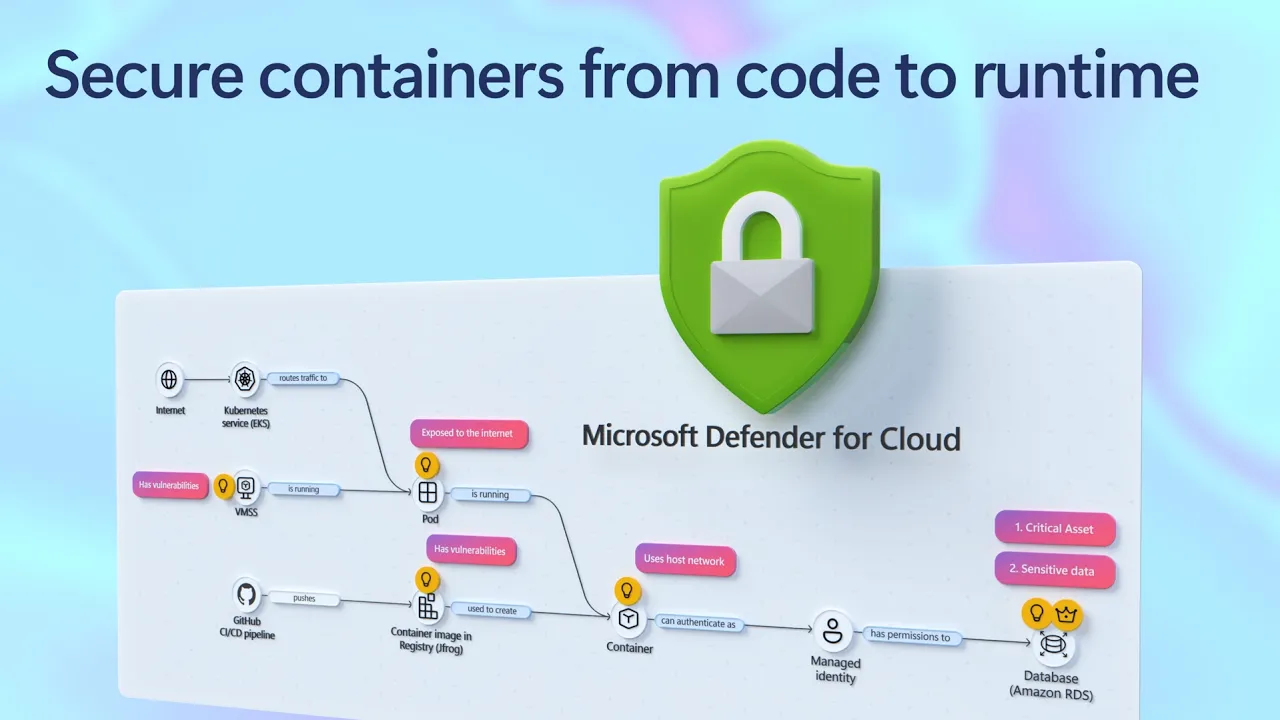
    Secure containers from code to runtime | Microsoft Defender

    Secure containerized apps end-to-end using Microsoft Defender for Cloud. Correlate cross-cloud attacks into a single incident, catch runtime threats that image scanning misses, and block vulnerable images before they reach production. Investigate container hijacking, isolate compromised pods with Security Copilot-guided remediation, and close the loop from SOC to dev by pushing CVE fixes to GitHub and syncing resolution back to Defender. Matt McSpirit, Microsoft Azure expert, shares how to detect, investigate, and remediate container threats in one connected workflow. ► QUICK LINKS: 00:00 - Secure containers in Microsoft Defender 01:02 - Cross-cloud incident 03:07- Runtime detection 04:10 - Investigate and build context 04:49 - Security Copilot incident report & containment 06:03 - Prevention 07:34 - Recommendations and take action 09:04 - Wrap up ► Link References Get started at https://aka.ms/DefenderCloudSecurity ► Unfamiliar with Microsoft Mechanics? As Microsoft's official video series for IT, you can watch and share valuable content and demos of current and upcoming tech from the people who build it at Microsoft. • Subscribe to our YouTube: https://www.youtube.com/c/MicrosoftMechanicsSeries • Talk with other IT Pros, join us on the Microsoft Tech Community: https://techcommunity.microsoft.com/t5/microsoft-mechanics-blog/bg-p/MicrosoftMechanicsBlog • Watch or listen from anywhere, subscribe to our podcast: https://microsoftmechanics.libsyn.com/podcast ► Keep getting this insider knowledge, join us on social: • Follow us on Twitter: https://twitter.com/MSFTMechanics • Share knowledge on LinkedIn: https://www.linkedin.com/company/microsoft-mechanics/ • Enjoy us on Instagram: https://www.instagram.com/msftmechanics/ • Loosen up with us on TikTok: https://www.tiktok.com/@msftmechanics

  • June 25 · 8 min

    Find and fix app issues - Azure Copilot Observability Agent

    Cut through alert noise and move from detection to root cause using the Azure Copilot Observability Agent. It autonomously investigates incidents, correlates signals across logs, metrics, alerts, application health, and ML anomalies, then surfaces root cause with charts and recommended next steps. Extend coverage to your AI agents in Microsoft Foundry, track Gen AI errors and token consumption with trace-level detail, and write plain-language instructions to tune autonomous behavior to match your team's workflow. Matt McSpirit, Microsoft Azure expert, shares how to take full control of incident response at scale. ► QUICK LINKS: 00:00 - Azure Copilot Observability Agent 00:43 - How to use it as you work 01:33 - Unified Full-Stack Telemetry 02:39 - Root Cause Investigation 04:12 - Investigate further 04:55 - Re-run the investigation 05:36 - Autonomous Alert Correlation & Triage 07:13 - Natural Language Agent Customization 07:34 - Wrap up ► Link References Get started at https://aka.ms/ObservabilityAgent ► Unfamiliar with Microsoft Mechanics? As Microsoft's official video series for IT, you can watch and share valuable content and demos of current and upcoming tech from the people who build it at Microsoft. • Subscribe to our YouTube: https://www.youtube.com/c/MicrosoftMechanicsSeries • Talk with other IT Pros, join us on the Microsoft Tech Community: https://techcommunity.microsoft.com/t5/microsoft-mechanics-blog/bg-p/MicrosoftMechanicsBlog • Watch or listen from anywhere, subscribe to our podcast: https://microsoftmechanics.libsyn.com/podcast ► Keep getting this insider knowledge, join us on social: • Follow us on Twitter: https://twitter.com/MSFTMechanics • Share knowledge on LinkedIn: https://www.linkedin.com/company/microsoft-mechanics/ • Enjoy us on Instagram: https://www.instagram.com/msftmechanics/ • Loosen up with us on TikTok: https://www.tiktok.com/@msftmechanics

  • June 25 · 15 min

    Build Agent Architecture using AI Landing Zones

    Build enterprise-ready AI agents that scale without sacrificing security or control using Microsoft Azure. Establish a shared Governance Hub to centralize model access, MCP catalogs, and policy enforcement, then give every agent a traceable identity, runtime protection, and data governance through Agent 365. Layer in Microsoft Fabric's Ontologies so your agents reason over real business context, not just raw data. Choose your runtime — no-code, hosted container, or custom — and deploy a production-grade environment in minutes using the AI Landing Zone accelerator. Matt McSpirit, Microsoft Azure Expert, joins Jeremy Chapman, Microsoft 365 Director, to share how to architect, govern, and scale a full agent mesh across the Microsoft stack. ► QUICK LINKS: 00:00 - Build secure AI agents 01:07 - Accelerate development, reduce risks 02:51 - Model Gateway + MCP Gateway 03:24 - Agent 365 Unified Control Plane 03:56 - Azure Policy + Azure Monitor 04:27 - Intelligent data platform 05:37 - OneLake in Microsoft Fabric 06:39 - Microsoft Purview data governance 07:13 - Fabric IQ with Ontologies 07:51 - Landing Zones 09:23 - Three Hosting Runtimes 11:06 - AI Landing Zone Accelerator 13:16 - Scalability 14:16 - Wrap up ► Link References Check out https://aka.ms/AIArchitecture ► Unfamiliar with Microsoft Mechanics? As Microsoft's official video series for IT, you can watch and share valuable content and demos of current and upcoming tech from the people who build it at Microsoft. • Subscribe to our YouTube: https://www.youtube.com/c/MicrosoftMechanicsSeries • Talk with other IT Pros, join us on the Microsoft Tech Community: https://techcommunity.microsoft.com/t5/microsoft-mechanics-blog/bg-p/MicrosoftMechanicsBlog • Watch or listen from anywhere, subscribe to our podcast: https://microsoftmechanics.libsyn.com/podcast ► Keep getting this insider knowledge, join us on social: • Follow us on Twitter: https://twitter.com/MSFTMechanics • Share knowledge on LinkedIn: https://www.linkedin.com/company/microsoft-mechanics/ • Enjoy us on Instagram: https://www.instagram.com/msftmechanics/ • Loosen up with us on TikTok: https://www.tiktok.com/@msftmechanics

  • June 25 · 10 min

    New Security Controls in Edge for Business

    Enforce your existing Microsoft security policies directly in the browser, where your users actually work, using Microsoft Edge for Business. Extend Conditional Access, Purview DLP, and Defender controls into every session, across managed and unmanaged devices. Block sensitive data from reaching unsanctioned AI services, lock contractors into your data boundary on devices you don't manage, and control clipboard and screenshot actions by location. Manage extensions by permission type from the Microsoft 365 admin center and shut down scareware before users respond. Jeremy Chapman, Microsoft 365 Director, shares how to deploy these controls using the security stack you already have. ► QUICK LINKS: 00:00 - Security built into the browser 01:30 - Shadow AI Data Blocking 03:03 - Contractor Work Profiles 04:22 - Configuration 05:16 - Advanced DLP & Clipboard Controls 06:29 - How to set it up 07:07 - Extension Management 09:20 - Protect from threats 10:13 - Wrap up ► Link References To get started, check out https://aka.ms/EdgeforBusiness ► Unfamiliar with Microsoft Mechanics? As Microsoft's official video series for IT, you can watch and share valuable content and demos of current and upcoming tech from the people who build it at Microsoft. • Subscribe to our YouTube: https://www.youtube.com/c/MicrosoftMechanicsSeries • Talk with other IT Pros, join us on the Microsoft Tech Community: https://techcommunity.microsoft.com/t5/microsoft-mechanics-blog/bg-p/MicrosoftMechanicsBlog • Watch or listen from anywhere, subscribe to our podcast: https://microsoftmechanics.libsyn.com/podcast ► Keep getting this insider knowledge, join us on social: • Follow us on Twitter: https://twitter.com/MSFTMechanics • Share knowledge on LinkedIn: https://www.linkedin.com/company/microsoft-mechanics/ • Enjoy us on Instagram: https://www.instagram.com/msftmechanics/ • Loosen up with us on TikTok: https://www.tiktok.com/@msftmechanics

  • June 18 · 8 min

    Rayfin | Go from prompt to production backend

    Build production-ready enterprise apps in hours, not months. Describe the app you want using Rayfin's open-source SDK with GitHub Copilot, and generate your full backend in code — schemas, relationships, and access policies included. Deploy to Microsoft Fabric with a single CLI command and immediately inherit enterprise data security, identity controls, and audit compliance already in place across your data estate. Connect your app's live operational data to years of historical records in Fabric from the moment you deploy, no pipelines, no data movement. Query across both datasets using a Fabric data agent you spin up directly on your app's data. Will Thompson, Microsoft Fabric Principal Product Manager, shares how to take an app from idea to governed production deployment in a single session. ► QUICK LINKS: 00:00 - Simplify backend complexity 01:20 - Home delivery service app 01:48 - Data analysis app 02:26 - See the build experience 03:08 - Copilot Generates Full Backend 03:47 - Authorization defined alongside schema 05:06 - One CLI Command Deploys to Fabric 05:21 - Create analytics app & add pages 06:31 - App Data Connects to Fabric Data Estate 06:55 - Conversational Data Agent on App Data 08:13 - Wrap up ► Link References Get started at https://aka.ms/rayfin ► Unfamiliar with Microsoft Mechanics? As Microsoft's official video series for IT, you can watch and share valuable content and demos of current and upcoming tech from the people who build it at Microsoft. • Subscribe to our YouTube: https://www.youtube.com/c/MicrosoftMechanicsSeries • Talk with other IT Pros, join us on the Microsoft Tech Community: https://techcommunity.microsoft.com/t5/microsoft-mechanics-blog/bg-p/MicrosoftMechanicsBlog • Watch or listen from anywhere, subscribe to our podcast: https://microsoftmechanics.libsyn.com/podcast ► Keep getting this insider knowledge, join us on social: • Follow us on Twitter: https://twitter.com/MSFTMechanics • Share knowledge on LinkedIn: https://www.linkedin.com/company/microsoft-mechanics/ • Enjoy us on Instagram: https://www.instagram.com/msftmechanics/ • Loosen up with us on TikTok: https://www.tiktok.com/@msftmechanics

  • June 9 · 8 min

    Agent 365 | Identity & Access Controls in Entra

    Take control of every AI agent, managed or not, running in your environment using Agent 365 and Microsoft Entra. Surface agents across AWS Bedrock, Google Vertex, Databricks, and Salesforce in one registry, assign Entra Agent IDs via CLI or SDK, and enforce least-privilege access through Conditional Access policies and Agent Blueprints, all without rebuilding your existing identity infrastructure. Lock down agent activity with sign-in logs that capture every authentication attempt, policy hit, and failure. Govern agents as first-class identities alongside your users, apps, and devices, and draw a hard line between managed and unmanaged AI in your organization. Vince Smith, Microsoft Entra Principal Product Manager, shares how to establish full visibility, access control, and lifecycle governance for AI agents using Microsoft Entra and Agent 365. ► QUICK LINKS: 00:00 - Visibility and control with Agent 365 01:39 - Multi-platform registry sync 02:29 - Assign Agent ID 04:14 - Agent Blueprints 05:24 - Conditional Access for agents 06:24 - Sign-in logs audit trail 07:03 - Unblock the agent 07:54 - Wrap up ► Link References Check out https://aka.ms/EntraforAgents ► Unfamiliar with Microsoft Mechanics? As Microsoft's official video series for IT, you can watch and share valuable content and demos of current and upcoming tech from the people who build it at Microsoft. • Subscribe to our YouTube: https://www.youtube.com/c/MicrosoftMechanicsSeries • Talk with other IT Pros, join us on the Microsoft Tech Community: https://techcommunity.microsoft.com/t5/microsoft-mechanics-blog/bg-p/MicrosoftMechanicsBlog • Watch or listen from anywhere, subscribe to our podcast: https://microsoftmechanics.libsyn.com/podcast ► Keep getting this insider knowledge, join us on social: • Follow us on Twitter: https://twitter.com/MSFTMechanics • Share knowledge on LinkedIn: https://www.linkedin.com/company/microsoft-mechanics/ • Enjoy us on Instagram: https://www.instagram.com/msftmechanics/ • Loosen up with us on TikTok: https://www.tiktok.com/@msftmechanics

  • June 3 · 13 min

    Introducing Azure HorizonDB - PostgreSQL

    Run enterprise Postgres workloads on Azure HorizonDB with around 3x the throughput of self-managed deployments — zone-resilient by default, no architectural trade-offs. Call AI models directly from SQL, build durable vector pipelines inside the database, and deliver high-accuracy similarity search at massive scale with DiskANN and AI re-ranking, all without leaving PostgreSQL. Debug and optimize queries faster with the Azure HorizonDB VS Code extension. Visualize execution plans, let Copilot generate fixes, and clone production data to test environments in seconds. Charles Feddersen, PostgreSQL Partner Director PM, shares how to put all of it to work on Azure. ► QUICK LINKS: 00:00 - Azure HorizonDB features 00:57 - Open-source PostgreSQL 02:24 - How it works 03:37 - Performance 04:51 - Enterprise-ready security 05:34 - Memory & storage work together 06:29 - AI Model Management + AI Functions 08:24 - AI Pipelines 09:50 - DiskANN + AI Re-ranking 10:50 - VS Code Extension + Data Cloning 12:31 - Wrap up ► Link References Check out our blog at https://aka.ms/azurepostgresblog ► Unfamiliar with Microsoft Mechanics? As Microsoft's official video series for IT, you can watch and share valuable content and demos of current and upcoming tech from the people who build it at Microsoft. • Subscribe to our YouTube: https://www.youtube.com/c/MicrosoftMechanicsSeries • Talk with other IT Pros, join us on the Microsoft Tech Community: https://techcommunity.microsoft.com/t5/microsoft-mechanics-blog/bg-p/MicrosoftMechanicsBlog • Watch or listen from anywhere, subscribe to our podcast: https://microsoftmechanics.libsyn.com/podcast ► Keep getting this insider knowledge, join us on social: • Follow us on Twitter: https://twitter.com/MSFTMechanics • Share knowledge on LinkedIn: https://www.linkedin.com/company/microsoft-mechanics/ • Enjoy us on Instagram: https://www.instagram.com/msftmechanics/ • Loosen up with us on TikTok: https://www.tiktok.com/@msftmechanics

  • May 29 · 7 min

    Agent 365 | Security Operations in Defender

    Surface every AI agent in your tenant and expose the ones throwing security signals — across both the IT and SOC view. Triage high-severity alerts as IT in the Microsoft 365 admin center, then pivot into the full incident graph as a SOC analyst in Microsoft Defender. Block malicious tool invocations the instant they fire and catch jailbreak attempts on Copilot Studio agents before they take hold. Trace a compromised user back to suspicious agent activity, then trigger Microsoft Entra conditional access to revoke the session and force a password reset straight from the incident. Hunt overpermissioned agents with pre-built advanced hunting templates — including one that exposes every agent running MCP tools on the maker's standing credentials — and pull risky builds from the Agent Store using the Agent Registry. Spencer Berg, AI & Security Product Manager, shares how to turn agent risk signals into coordinated remediation across Defender, Entra, and the Microsoft 365 admin center. ► QUICK LINKS: 00:00 - Stay in control with Agent 365 00:40 - Gain visibility with unified control plane 01:48 - Unified IT & SOC agent view 02:54 - Real-time blocking and jailbreak detection 04:08 - Auto-revoke via Entra conditional access 04:32 - Prevent future incidents 05:28 - Advanced hunting for AI agents 06:43 - Block risky agents 07:15 - Wrap up ► Link References Check out https://aka.ms/Agent365SecOps ► Unfamiliar with Microsoft Mechanics? As Microsoft's official video series for IT, you can watch and share valuable content and demos of current and upcoming tech from the people who build it at Microsoft. • Subscribe to our YouTube: https://www.youtube.com/c/MicrosoftMechanicsSeries • Talk with other IT Pros, join us on the Microsoft Tech Community: https://techcommunity.microsoft.com/t5/microsoft-mechanics-blog/bg-p/MicrosoftMechanicsBlog • Watch or listen from anywhere, subscribe to our podcast: https://microsoftmechanics.libsyn.com/podcast ► Keep getting this insider knowledge, join us on social: • Follow us on Twitter: https://twitter.com/MSFTMechanics • Share knowledge on LinkedIn: https://www.linkedin.com/company/microsoft-mechanics/ • Enjoy us on Instagram: https://www.instagram.com/msftmechanics/ • Loosen up with us on TikTok: https://www.tiktok.com/@msftmechanics

  • May 27 · 8 min

    Microsoft Entra Tenant Governance | Find Configuration Drift

    Ensure your tenant configuration doesn't drift from defined security and compliance requirements with Microsoft Entra Tenant Governance. Capture configuration as code across 200+ resource types in Entra, Intune, Exchange, Teams, Defender, and Purview. Turn that snapshot into a Monitor. It scans for drift every six hours and flags every policy change. Extend control to the tenants you don't fully see today. Entra Tenant Governance surfaces them automatically through B2B, multi-tenant app, and billing signals. Request governance with role-based templates. Complete the secure approval handshake in the Entra admin center, then administer the governed tenant from a single browser using the roles forged in that handshake. Jeff Staiman, Microsoft Entra Principal Product Manager, shares how to bring every tenant under one governance model. ► QUICK LINKS: 00:00 - Prevent tenant configuration drift 00:57 - Create a configuration baseline 02:23 - Detect configuration drifts 03:08 - Identify related tenants to govern 04:05 - Governed tenants 05:01 - Incoming request 06:17 - Set up monitoring 07:40 - Wrap up ► Link References Get started at https://aka.ms/EntraTenantGovernance Restrict tenant's connections at https://aka.ms/TenantQuarantine ► Unfamiliar with Microsoft Mechanics? As Microsoft's official video series for IT, you can watch and share valuable content and demos of current and upcoming tech from the people who build it at Microsoft. • Subscribe to our YouTube: https://www.youtube.com/c/MicrosoftMechanicsSeries • Talk with other IT Pros, join us on the Microsoft Tech Community: https://techcommunity.microsoft.com/t5/microsoft-mechanics-blog/bg-p/MicrosoftMechanicsBlog • Watch or listen from anywhere, subscribe to our podcast: https://microsoftmechanics.libsyn.com/podcast ► Keep getting this insider knowledge, join us on social: • Follow us on Twitter: https://twitter.com/MSFTMechanics • Share knowledge on LinkedIn: https://www.linkedin.com/company/microsoft-mechanics/ • Enjoy us on Instagram: https://www.instagram.com/msftmechanics/ • Loosen up with us on TikTok: https://www.tiktok.com/@msftmechanics

  • May 21 · 9 min

    Automate evaluations | Microsoft Foundry

    Build AI agents that meet your standards for quality, safety, and performance using Microsoft Foundry. Trace every run end-to-end, generate synthetic datasets to stress-test on demand, fire automated Red Team attacks at your own agents, and pin down why evaluations fail — all from the Microsoft Foundry control plane. Lock in guardrails that inspect every tool call at runtime, define the risks once, and enforce them across every agent run. Mohammad Abuomar, Responsible AI Principal Architect, shares how to turn a coding agent into production-ready software inside Foundry. ► QUICK LINKS: 00:00 - Microsoft Foundry control plane 00:33 - See a finished agent 02:30 - See where the agent started 03:19 - Traces 04:04 - Built-in monitoring 04:34 - Evaluation types 05:51 - Red team evaluations 07:08 - Evaluation results 08:14 - Built-in Guardrails 08:14 - Wrap up ► Link References Get everything you need in Microsoft Foundry at https://ai.azure.com ► Unfamiliar with Microsoft Mechanics? As Microsoft's official video series for IT, you can watch and share valuable content and demos of current and upcoming tech from the people who build it at Microsoft. • Subscribe to our YouTube: https://www.youtube.com/c/MicrosoftMechanicsSeries • Talk with other IT Pros, join us on the Microsoft Tech Community: https://techcommunity.microsoft.com/t5/microsoft-mechanics-blog/bg-p/MicrosoftMechanicsBlog • Watch or listen from anywhere, subscribe to our podcast: https://microsoftmechanics.libsyn.com/podcast ► Keep getting this insider knowledge, join us on social: • Follow us on Twitter: https://twitter.com/MSFTMechanics • Share knowledge on LinkedIn: https://www.linkedin.com/company/microsoft-mechanics/ • Enjoy us on Instagram: https://www.instagram.com/msftmechanics/ • Loosen up with us on TikTok: https://www.tiktok.com/@msftmechanics

  • May 18 · 12 min

    Microsoft Excel Beginners Tutorial (2026)

    This is the Microsoft Excel guide and tutorial for beginners. If you're new to and getting started with Excel or coming from another app, in this video we teach the basics of Excel, the user interface, core concepts, and how to work with basic data. We'll show you how to build a full Excel workbook from scratch using natural language prompts with Copilot. Format cells, write formulas, and analyze a year of data. Generate sample data, calculate totals, apply conditional formatting, and pin down outliers across columns and rows, all from your browser at excel.new. Share the workbook by name, group, or email and co-author with teammates across web, desktop, and phone. Every edit syncs to OneDrive in real time. Jeremy Chapman, Microsoft 365 Director, shares how to go from blank workbook to analyzed, shared spreadsheet in one sitting. If you have a work or school accounts, Copilot Chat is available at no additional cost if you have Microsoft 365 A1/A3/A5, Business Basic/Standard/Premium, E3/E5, F1/F3, G3/G5, and Office 365 A1/A1 Plus/A3/A5, E1/E1 Plus/E3/E5, F3, G1/G3/G5. If you have a personal Microsoft account, Copilot is available with Microsoft 365 Personal, Family, or Premium in Microsoft 365. For Family and multi-user accounts, only the subscription owner can use Copilot in the desktop apps. ► QUICK LINKS: 00:00 - Excel Essentials 00:57 - Start from a blank workbook 02:11 - Core terms and concepts 04:25 - Generate Sample Data with Copilot 06:16 - How to work with the numbers 09:35 - Copilot Writes Your SUM Formulas 09:57 - Conditional Formatting from a Prompt 10:40 - Outlier Analysis with Reasoning 11:36 - Real-Time Co-Authoring in OneDrive 12:22 - Wrap up ► Link References Check it out at https://microsoft.com/excel ► Unfamiliar with Microsoft Mechanics? As Microsoft's official video series for IT, you can watch and share valuable content and demos of current and upcoming tech from the people who build it at Microsoft. • Subscribe to our YouTube: https://www.youtube.com/c/MicrosoftMechanicsSeries • Talk with other IT Pros, join us on the Microsoft Tech Community: https://techcommunity.microsoft.com/t5/microsoft-mechanics-blog/bg-p/MicrosoftMechanicsBlog • Watch or listen from anywhere, subscribe to our podcast: https://microsoftmechanics.libsyn.com/podcast ► Keep getting this insider knowledge, join us on social: • Follow us on Twitter: https://twitter.com/MSFTMechanics • Share knowledge on LinkedIn: https://www.linkedin.com/company/microsoft-mechanics/ • Enjoy us on Instagram: https://www.instagram.com/msftmechanics/ • Loosen up with us on TikTok: https://www.tiktok.com/@msftmechanics

  • May 13 · 9 min

    Work IQ | Data, Context, Skills & Tools for Copilot and Your Agents

    Ground every Microsoft 365 Copilot response in your real work data. Pull context from SharePoint, OneDrive, Teams, email, and meetings — all through Work IQ. Draft Word documents that carry your existing sensitivity labels, and resolve calendar conflicts in Outlook. Run multi-step Copilot Cowork workflows that generate files, schedule meetings, and send status updates from a single prompt. Extend the same knowledge layer to ServiceNow, CRMs, and other non-Microsoft systems with API and MCP Server connectors in the Microsoft 365 admin center, or build your own agents in code against the Work IQ API. Jeremy Chapman, Microsoft 365 Director, shares how data, context, and skills & tools combine into a single grounding layer for Copilot and your custom agents. ► QUICK LINKS: 00:00 - Work IQ Knowledge Layer 01:32 - Copilot Chat experiences 02:16 - Work IQ in your apps 03:03 - Auto-Applied Sensitivity Labels 04:20 - Copilot Cowork Agentic Workflow 06:11 - Admin Center Connectors 07:21 - Work IQ API for Developers 08:50 - Wrap up ► Link References Check out the latest updates at https://aka.ms/WorkIQ ► Unfamiliar with Microsoft Mechanics? As Microsoft's official video series for IT, you can watch and share valuable content and demos of current and upcoming tech from the people who build it at Microsoft. • Subscribe to our YouTube: https://www.youtube.com/c/MicrosoftMechanicsSeries • Talk with other IT Pros, join us on the Microsoft Tech Community: https://techcommunity.microsoft.com/t5/microsoft-mechanics-blog/bg-p/MicrosoftMechanicsBlog • Watch or listen from anywhere, subscribe to our podcast: https://microsoftmechanics.libsyn.com/podcast ► Keep getting this insider knowledge, join us on social: • Follow us on Twitter: https://twitter.com/MSFTMechanics • Share knowledge on LinkedIn: https://www.linkedin.com/company/microsoft-mechanics/ • Enjoy us on Instagram: https://www.instagram.com/msftmechanics/ • Loosen up with us on TikTok: https://www.tiktok.com/@msftmechanics

  • May 8 · 14 min

    Azure Arc | On-prem + Multi-cloud Management

    Managing Servers, and Kubernetes across on-prem, and multiple clouds, can quickly become complex, especially when you're juggling multiple tools. In this video, we explore how Azure Arc simplifies hybrid and multi-cloud operations by providing a single, consistent control plane for managing your entire infrastructure across Linux and Windows, on-prem, in Azure, or in any cloud. Once connected, you can patch Windows and Linux together with Azure Update Manager, enforce CIS benchmarks and Azure Security Baselines through Azure Policy, and pull consistent inventory, tags, and RBAC across your whole estate. Auto-recover unbootable Windows Server 2025 machines with Quick Machine Recovery, audit and configure WinRE using built-in Azure Policy. Run your virtual machines as Azure Virtual Desktop session hosts on Nutanix, VMware, Hyper-V, or using physical Windows hardware. Satya Vel, Azure Arc Principal Group PDM Manager (https://x.com/satya_vel) shares how to make Azure your operational standard for every workload, anywhere it runs. Learn more about Azure Arc at https://aka.ms/AzureArcServer, or join the community at https://aka.ms/ArcServerForumSignup ► QUICK LINKS: 00:00 - Azure Arc in hybrid environments 00:46 - Transitioning to Azure Arc 02:35 - Unified management 03:43 - How to bring in servers and containers 04:48 - Inventory management 05:30 - Patching 06:48 - Auto-manage future updates 08:25 - One-time update 09:32 - Configuration in a hybrid environment 11:05 - Auditing Windows machines 11:34 - Microsoft Defender for Cloud 13:06 - Desktop virtualization 13:51 - Wrap up ► Link References For more information go to https://aka.ms/AzureArc ► Unfamiliar with Microsoft Mechanics? As Microsoft's official video series for IT, you can watch and share valuable content and demos of current and upcoming tech from the people who build it at Microsoft. • Subscribe to our YouTube: https://www.youtube.com/c/MicrosoftMechanicsSeries • Talk with other IT Pros, join us on the Microsoft Tech Community: https://techcommunity.microsoft.com/t5/microsoft-mechanics-blog/bg-p/MicrosoftMechanicsBlog • Watch or listen from anywhere, subscribe to our podcast: https://microsoftmechanics.libsyn.com/podcast ► Keep getting this insider knowledge, join us on social: • Follow us on Twitter: https://twitter.com/MSFTMechanics • Share knowledge on LinkedIn: https://www.linkedin.com/company/microsoft-mechanics/ • Enjoy us on Instagram: https://www.instagram.com/msftmechanics/ • Loosen up with us on TikTok: https://www.tiktok.com/@msftmechanics

  • May 7 · 8 min

    Agent 365 | Your Security & Compliance Controls

    Keep AI agents operating under control and within your data security and compliance policies using Agent 365. Block agent access to labeled files at runtime, stop sensitive data from leaving in agent-drafted emails, and catch agents that cross conduct lines using the same Microsoft Purview controls you already run for users. Map every risky agent action in Insider Risk Management, drill into Activity Explorer for interaction-level detail, and pull regulator-ready forensics from Purview Audit. Shilpa Ranganathan, Microsoft Purview Partner Group Squad Leader, shares how IT and data security teams can govern agent behavior on a single Agent 365 control plane built into the Microsoft tools already used. ► QUICK LINKS: 00:00 - Agent security, compliance, & IT 01:13 - IT & data security teams using Agent 365 02:22 - Visibility with Microsoft Purview 03:14 - End user perspective 04:05 - DLP on Agent-Initiated Messages 04:23 - Communication Compliance for Agent Behavior 04:50 - Data Security admin in the Purview portal 06:04 - Policy violations 06:39 - Purview Audit 07:06 - Microsoft 365 admin center 07:44 - Wrap upn in the Purview portal ► Link References Check out https://aka.ms/Agent365DataSecurity ► Unfamiliar with Microsoft Mechanics? As Microsoft's official video series for IT, you can watch and share valuable content and demos of current and upcoming tech from the people who build it at Microsoft. • Subscribe to our YouTube: https://www.youtube.com/c/MicrosoftMechanicsSeries • Talk with other IT Pros, join us on the Microsoft Tech Community: https://techcommunity.microsoft.com/t5/microsoft-mechanics-blog/bg-p/MicrosoftMechanicsBlog • Watch or listen from anywhere, subscribe to our podcast: https://microsoftmechanics.libsyn.com/podcast ► Keep getting this insider knowledge, join us on social: • Follow us on Twitter: https://twitter.com/MSFTMechanics • Share knowledge on LinkedIn: https://www.linkedin.com/company/microsoft-mechanics/ • Enjoy us on Instagram: https://www.instagram.com/msftmechanics/ • Loosen up with us on TikTok: https://www.tiktok.com/@msftmechanics