M365.FM - Modern work, security, and productivity with Microsoft 365
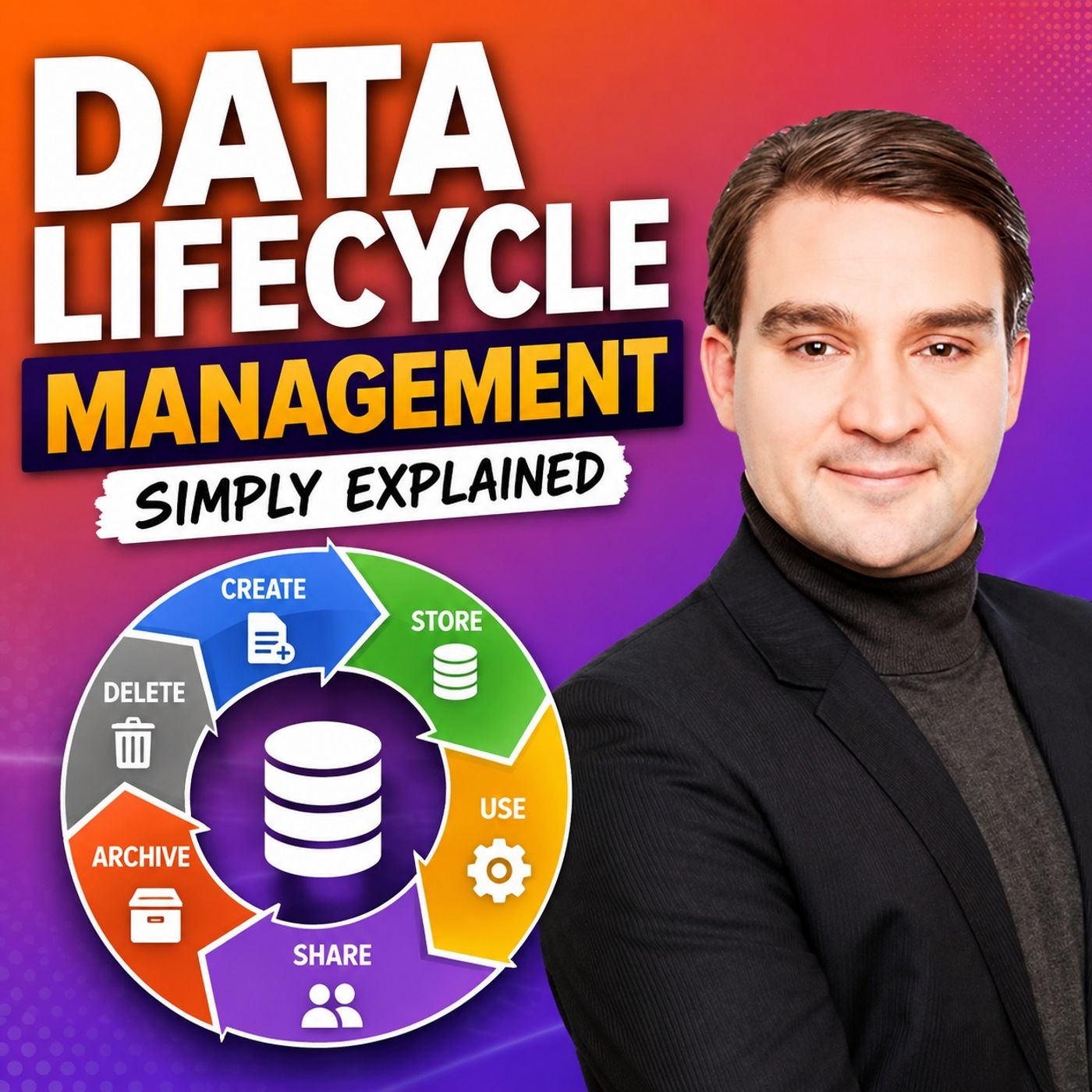
Data Lifecycle Management - Simply Explained
Yesterday · 18 min · Season 3 · 26.7 MB
0:00-18:33
Streams straight from the publisher. podnod never proxies or re-hosts episode audio.
Microsoft Purview Data Lifecycle Management helps organizations control how long information should be kept, when it should be reviewed, and when it should be securely deleted. Instead of allowing emails, Teams chats, SharePoint documents, OneDrive files, and other Microsoft 365 content to accumulate indefinitely, lifecycle management ensures every piece of information follows a defined business, legal, or regulatory process. This reduces storage costs, minimizes compliance risks, improves search efficiency, and ensures outdated or unnecessary information is removed in a controlled manner rather than remaining in the environment forever.
UNDERSTANDING THE DATA LIFECYCLE
Every piece of business information follows a natural lifecycle. It is created, actively used, retained for business or legal purposes, reviewed when necessary, and eventually disposed of once it no longer provides value. Microsoft Purview supports this complete journey through retention settings that prevent premature deletion while also ensuring content is not kept longer than necessary. Organizations can choose to retain content, delete content after a defined period, or combine both approaches by retaining information first and automatically deleting it later. A successful lifecycle strategy always begins by understanding why information exists before deciding how long it should remain.
RETENTION POLICIES VS. RETENTION LABELS
Retention Policies provide organization-wide rules that apply to entire Microsoft 365 locations such as Exchange Online mailboxes, SharePoint sites, OneDrive accounts, or Microsoft Teams chats. They are ideal when large amounts of similar content require identical retention behavior. Retention Labels, on the other hand, apply directly to individual emails or documents. This allows important business records, such as signed contracts or official agreements, to receive different retention periods than drafts or everyday working documents stored in the same location. Labels may be applied manually by users or automatically by Microsoft Purview based on predefined conditions, creating much more granular control over business-critical information.
SCOPES, CONFLICT RESOLUTION, AND RETENTION LOGIC
Microsoft Purview determines where retention rules apply by using either static scopes or adaptive scopes. Static scopes target specific users, mailboxes, or SharePoint sites, making them suitable for stable environments. Adaptive scopes automatically include users or locations based on Microsoft Entra ID attributes such as department or job title, significantly reducing administration in large organizations. When multiple retention rules overlap, Purview follows predictable conflict rules. Retention requirements always take priority over deletion, longer retention periods override shorter ones, and item-level retention labels can override broader location-based policies. This ensures organizations never delete information that must legally or operationally remain available.
HOW ALL THE COMPONENTS WORK TOGETHER
Data Lifecycle Management works by combining policies, labels, scopes, and automated retention into one consistent governance framework. A general retention policy can protect everyday content across Microsoft 365 while retention labels provide special treatment for important records. Adaptive scopes ensure policies automatically follow organizational changes, and retention continues to protect required content even if users accidentally delete files or emails. It is also important to understand that lifecycle management only controls how long information exists. It does not determine who can access content or how it is is shared. Those responsibilities belong to Microsoft Purview Sensitivity Labels and Data Loss Prevention (DLP), which complement lifecycle management as part of a complete Microsoft Purview governance strategy.
BEST PRACTICES FOR BUILDING A RETENTION STRATEGY
A successful Data Lifecycle Management implementation starts with understanding where information is stored across Exchange Online, SharePoint, OneDrive, Microsoft Teams, and AI-generated content. Business owners should define why each type of information exists, how long it must be retained, and what should happen when that retention period expires. Begin with broad, low-risk retention policies before introducing more granular retention labels for specialized records. Use adaptive scopes where organizational structures frequently change, clearly document every retention policy, carefully test automatic deletion before enabling it in production, and regularly review overlapping rules with compliance, legal, records management, and business stakeholders. By following this structured approach, organizations can reduce compliance risk while ensuring information remains available for exactly as long as it is needed—and no longer.
Become a supporter of this podcast: https://www.spreaker.com/podcast/m365-fm-modern-work-security-and-productivity-with-microsoft-365--6704921/support.
UNDERSTANDING THE DATA LIFECYCLE
Every piece of business information follows a natural lifecycle. It is created, actively used, retained for business or legal purposes, reviewed when necessary, and eventually disposed of once it no longer provides value. Microsoft Purview supports this complete journey through retention settings that prevent premature deletion while also ensuring content is not kept longer than necessary. Organizations can choose to retain content, delete content after a defined period, or combine both approaches by retaining information first and automatically deleting it later. A successful lifecycle strategy always begins by understanding why information exists before deciding how long it should remain.
RETENTION POLICIES VS. RETENTION LABELS
Retention Policies provide organization-wide rules that apply to entire Microsoft 365 locations such as Exchange Online mailboxes, SharePoint sites, OneDrive accounts, or Microsoft Teams chats. They are ideal when large amounts of similar content require identical retention behavior. Retention Labels, on the other hand, apply directly to individual emails or documents. This allows important business records, such as signed contracts or official agreements, to receive different retention periods than drafts or everyday working documents stored in the same location. Labels may be applied manually by users or automatically by Microsoft Purview based on predefined conditions, creating much more granular control over business-critical information.
SCOPES, CONFLICT RESOLUTION, AND RETENTION LOGIC
Microsoft Purview determines where retention rules apply by using either static scopes or adaptive scopes. Static scopes target specific users, mailboxes, or SharePoint sites, making them suitable for stable environments. Adaptive scopes automatically include users or locations based on Microsoft Entra ID attributes such as department or job title, significantly reducing administration in large organizations. When multiple retention rules overlap, Purview follows predictable conflict rules. Retention requirements always take priority over deletion, longer retention periods override shorter ones, and item-level retention labels can override broader location-based policies. This ensures organizations never delete information that must legally or operationally remain available.
HOW ALL THE COMPONENTS WORK TOGETHER
Data Lifecycle Management works by combining policies, labels, scopes, and automated retention into one consistent governance framework. A general retention policy can protect everyday content across Microsoft 365 while retention labels provide special treatment for important records. Adaptive scopes ensure policies automatically follow organizational changes, and retention continues to protect required content even if users accidentally delete files or emails. It is also important to understand that lifecycle management only controls how long information exists. It does not determine who can access content or how it is is shared. Those responsibilities belong to Microsoft Purview Sensitivity Labels and Data Loss Prevention (DLP), which complement lifecycle management as part of a complete Microsoft Purview governance strategy.
BEST PRACTICES FOR BUILDING A RETENTION STRATEGY
A successful Data Lifecycle Management implementation starts with understanding where information is stored across Exchange Online, SharePoint, OneDrive, Microsoft Teams, and AI-generated content. Business owners should define why each type of information exists, how long it must be retained, and what should happen when that retention period expires. Begin with broad, low-risk retention policies before introducing more granular retention labels for specialized records. Use adaptive scopes where organizational structures frequently change, clearly document every retention policy, carefully test automatic deletion before enabling it in production, and regularly review overlapping rules with compliance, legal, records management, and business stakeholders. By following this structured approach, organizations can reduce compliance risk while ensuring information remains available for exactly as long as it is needed—and no longer.
Become a supporter of this podcast: https://www.spreaker.com/podcast/m365-fm-modern-work-security-and-productivity-with-microsoft-365--6704921/support.