Skip to content
Artwork for Hands-On Apple (Audio)
Hands-On Apple (Audio) · Nov 13, 2025 · 11 min

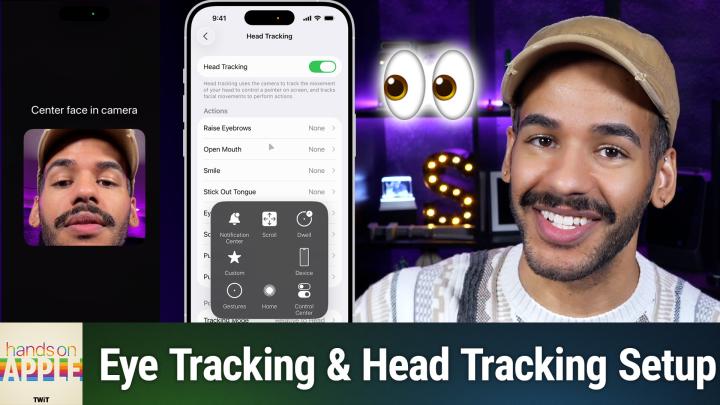
HOA 208: Eye Tracking on iPhone

Control your iPhone just by looking at it. Mikah Sargent dives into the eye-tracking (and head tracking) feature on iOS, showing how it contributes to accessibility and reimagines device interaction. How to set up and use iOS eye tracking controls Eye tracking customization: smoothing, snap to item, dwell control, and more Eye tracking training process and device positioning tips Accuracy challenges and retraining Head tracking as an alternative: facial gestures trigger iOS actions Head tracking menu navigation with expressions Host: Mikah Sargent Download or subscribe to Hands-On Apple at https://twit.tv/shows/hands-on-apple Want access to the ad-free video and exclusive features? Become a member of Club TWiT today! https://twit.tv/clubtwit Club TWiT members can discuss this episode and leave feedback in the Club TWiT Discord.

0:00-11:50

transcript

No transcript — this publisher did not publish one.

show notes

Control your iPhone just by looking at it. Mikah Sargent dives into the eye-tracking (and head tracking) feature on iOS, showing how it contributes to accessibility and reimagines device interaction.

  • How to set up and use iOS eye tracking controls
  • Eye tracking customization: smoothing, snap to item, dwell control, and more
  • Eye tracking training process and device positioning tips
  • Accuracy challenges and retraining
  • Head tracking as an alternative: facial gestures trigger iOS actions
  • Head tracking menu navigation with expressions

Host: Mikah Sargent

Download or subscribe to Hands-On Apple at https://twit.tv/shows/hands-on-apple

Want access to the ad-free video and exclusive features? Become a member of Club TWiT today! https://twit.tv/clubtwit

Club TWiT members can discuss this episode and leave feedback in the Club TWiT Discord.

links4